Steam Manifest V2: 6 Checks Before You Trust a SteamMLV2 Package
A practical guide to V2 manifest wording, SteamMLV2 packages, depot files, Lua scripts, and the safety checks that keep SteamTools workflows readable.

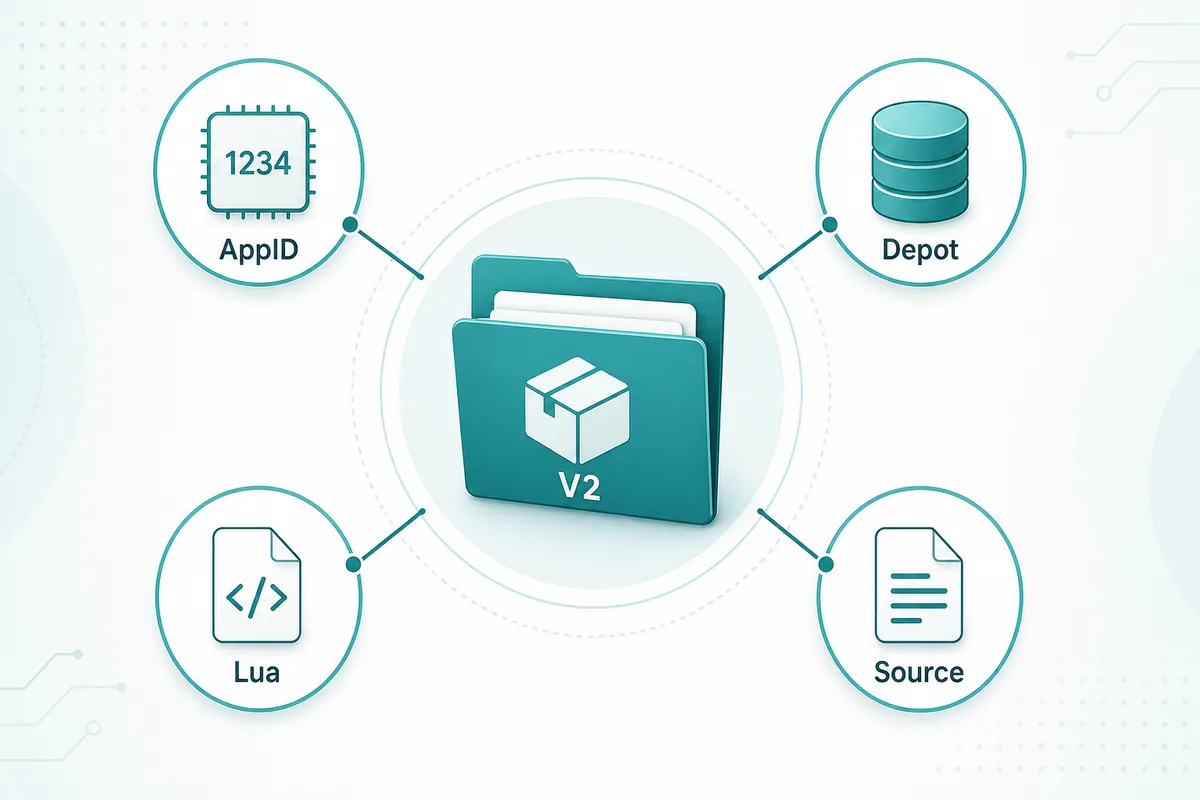
Treat Steam Manifest V2 or SteamMLV2 as a package workflow: AppID first, depot files second, Lua mapping third, source verification before import.
Table of Contents
Steam Manifest V2 is a search term people use when they are trying to understand newer SteamTools-style manifest packages, often labeled as SteamMLV2, V2 manifest, or manifest and Lua V2. The wording sounds like a formal Valve specification, but most search results use it as community shorthand for a package format or workflow that includes depot manifests, Lua scripts, metadata, and key data.
That distinction matters. If you treat V2 as a magic file extension, you may download whatever a mirror calls V2 and skip the checks that actually decide whether a package is usable. A safe workflow still starts with the Steam AppID, confirms the relevant depots, inspects the Lua mapping, and checks whether the files were refreshed after the last game update.
This guide gives SteamTools users a clean mental model for SteamMLV2 packages. It explains what belongs in the package, where the risk points are, how V2 differs from generic manifest downloads, and when to use the generator, finder, or deeper SteamTools manifest guide on this site.
What Does Steam Manifest V2 Mean?
In everyday SteamTools communities, Steam Manifest V2 usually means a newer or reorganized manifest-and-Lua package rather than one standalone official Valve file. The package may still contain ordinary depot manifest files, but it is wrapped with Lua mapping, metadata, and sometimes key data so a SteamTools workflow can identify the game and its depots more easily.
Valve's public documentation talks about apps and depots, and SteamDB explains how Steam download manifests fit into content delivery. Community tools build on those concepts, then use labels such as V2 or SteamMLV2 to describe how their package is organized. That is why two sites can use the same V2 wording but expose different folder layouts or file names.
AppID
The numeric Steam app identifier. A wrong AppID can point you to a demo, DLC, soundtrack, or different edition.
Depot manifest
A manifest describes depot content and version data. Games often need multiple depots for base files, languages, or DLC.
Lua mapping
The Lua file connects the app and depot package to the SteamTools import flow.
Source check
V2 wording does not prove safety. You still need a transparent file list and a trustworthy source.
Simple definition
Steam Manifest V2 is best understood as a community package label for manifest plus Lua workflows, not as a guarantee that a file is official, current, or safe.
What Should a SteamMLV2 Package Contain?
A useful SteamMLV2 package should be transparent. You should be able to open the archive and see the small files that explain the package: manifests, Lua, metadata, and any required key or VDF data. If the download hides everything behind an executable installer, browser extension, or password archive, it is not a good fit for a cautious workflow.
The exact layout can differ by source, but the inspection logic stays the same. You are checking whether the files all describe the same AppID and whether the manifest data appears fresh enough for the current game build.
| Package part | What to check | Why it matters |
|---|---|---|
| AppID metadata | Game title and AppID match the Steam store or SteamDB entry | Prevents wrong-edition imports |
| .manifest files | One or more depot manifest files are present | SteamTools needs depot version context |
| .lua file | Lua references the same AppID and expected depots | Keeps the import mapping aligned |
| JSON notes | Readable metadata lists depots, package date, or source | Makes mismatch detection faster |
| VDF/key data | Included only when the workflow expects it | Missing key data can break otherwise valid packages |
| Update signal | File or source history is newer than the last patch | Old manifests can fail after updates |
6 Checks Before You Trust a V2 Manifest Package
Do these checks before importing anything into SteamTools. They are quick because manifest and Lua packages are small, and they catch the most common problems before you change settings or blame the tool.
The point is not to make the process slow. The point is to keep the workflow explainable: each file should have a job, each file should match the AppID, and the source should not force you to run opaque software.
-
Confirm the AppID from an external source.
Use the Steam store URL or SteamDB before generating. Do not rely on a game title typed into a mirror page.
-
Check the package file list.
Look for .manifest, .lua, JSON, and optional VDF or key files. A V2 package should not require an unknown executable wrapper.
-
Match the Lua file to the manifest files.
The AppID and depot references should describe the same game. If the names conflict, stop and regenerate.
-
Look for freshness after patches.
If the game updated recently, stale manifests are a common failure point. Download a refreshed package before troubleshooting SteamTools.
-
Avoid mixed-source archives.
Packages assembled from several mirrors are harder to verify. Prefer one transparent source or a browser-based generator with visible package contents.
-
Keep the import reversible.
Save the archive and note the source date so you can compare versions if the package stops working later.
Practical rule
V2 is useful only when it makes the package easier to inspect. If the label hides the source, file list, or AppID mapping, the V2 label adds no trust.
Common Steam Manifest V2 Mistakes
Most V2 package failures are ordinary manifest workflow failures with a newer label on top. The user picked the wrong AppID, used an old package after a patch, imported only Lua without matching manifests, or trusted a mirror that changed the archive contents.
The table below maps the symptom to the first fix. Start with the simplest check before changing SteamTools settings.
| Symptom | Likely cause | First fix |
|---|---|---|
| SteamMLV2 package not found | The AppID is unsupported or entered incorrectly | Verify the AppID and check availability in the finder |
| Lua imports but nothing changes | Lua mapping does not match the depot manifests | Regenerate a complete package for the same AppID |
| Package worked before an update | Depot manifests are stale | Download a refreshed package after the patch |
| Archive asks for an executable install | Mirror added an opaque wrapper | Use a transparent source instead |
| DLC or language files missing | The package lacks one or more depots | Check edition, DLC, and language depot coverage |
Which Tool Should You Use?
Use this V2 guide when you need vocabulary and verification rules. Use the main Manifest & Lua Generator when you already know the AppID and want a package. Use the Steam Manifest Finder when your first question is whether files exist. Use the SteamTools Manifest Generator Guide when you need the broader checklist for imports and package troubleshooting.
Keeping those intents separate helps searchers and avoids cannibalizing the main generator page. The generator should remain the fastest path to files; this guide should answer what Steam Manifest V2 or SteamMLV2 means before a user imports those files.
| Need | Best page | Reason |
|---|---|---|
| Understand Steam Manifest V2 | This guide | Explains terminology, package parts, and verification |
| Generate manifest and Lua files | Manifest & Lua Generator | Fastest route when the AppID is known |
| Check whether a package exists | Steam Manifest Finder | Availability check before download |
| Troubleshoot SteamTools import workflow | SteamTools Manifest Generator Guide | Broader checklist for AppID, Lua, depot, and key files |
FAQ
References and further reading
- Steamworks Documentation - Applications and depots - Official background on Steam applications and depots.
- Steamworks Documentation - Uploading to Steam - Official explanation of builds, depots, and content upload concepts.
- SteamDB technical blog - Steam download system - Technical explanation of Steam depots and manifests.
Last updated: June 10, 2026