SteamDB Manifest ID: 7 Checks Before You Use a Depot Manifest
A practical guide to AppID, DepotID, ManifestID, SteamDB lookup habits, and the verification steps that keep manifest and Lua packages understandable.

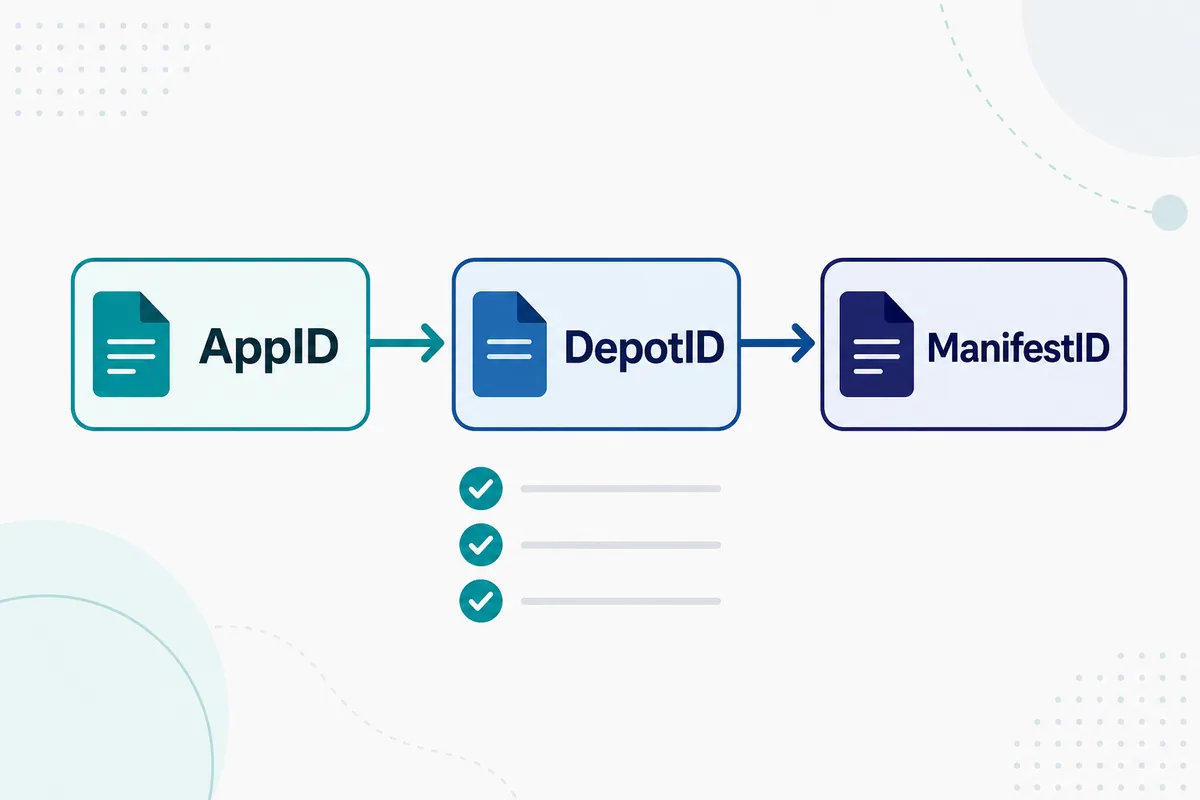
AppID identifies the Steam app, DepotID identifies a content group, and ManifestID identifies a specific depot version.
Table of Contents
A SteamDB manifest ID is a version marker for a Steam depot. It is not the same thing as a Steam AppID, and it is not a complete manifest-and-Lua package by itself. When people search for a SteamDB manifest ID, they are usually trying to match a game, a depot, and a specific file version before generating or importing SteamTools files.
That distinction matters because Steam games are split into apps and depots. A single game can have depots for Windows files, language packs, DLC, soundtracks, or test branches. Each depot can then have different manifest IDs over time as the game updates. If you copy the wrong number, a package can look valid while still pointing to the wrong build.
This guide explains the relationship between AppID, DepotID, and ManifestID, how to read SteamDB-style pages, and what to check before using a manifest and Lua generator. It is intentionally a guide, not a replacement for the generator: use it when you need to understand which number belongs where.
What Is a SteamDB Manifest ID?
A manifest ID identifies a specific version of a depot manifest. In practical terms, it tells you which snapshot of files belongs to a depot at a certain point in the build history. SteamDB exposes this information so users can understand which depots changed, when a build moved, and which content group a manifest belongs to.
The manifest ID is useful only with context. You normally need the AppID to know the game and the DepotID to know the content group. Without those two numbers, a manifest ID alone is just a long version number with no safe destination.
AppID
Identifies the Steam app, such as the base game, demo, DLC, or soundtrack entry.
DepotID
Identifies a content depot, such as Windows files, language assets, DLC content, or shared files.
ManifestID
Identifies a specific depot version after a build, patch, or content update.
Lua mapping
Connects the selected app and depot package to a SteamTools-style workflow.
Simple definition
Use ManifestID as a version marker, not as a standalone download target. It becomes meaningful only when it matches the correct AppID and DepotID.
AppID vs DepotID vs ManifestID
The safest way to work with Steam manifests is to keep the three IDs separate. AppID answers which Steam app you mean. DepotID answers which file group you mean. ManifestID answers which version of that file group you mean.
This separation is why one game can have many relevant numbers. A large game may use a base depot, language depots, platform depots, and DLC depots. The correct package may need more than one depot manifest, so copying only one manifest ID can be incomplete.
| ID type | Question it answers | Common mistake |
|---|---|---|
| AppID | Which Steam app is this? | Using a demo, DLC, or soundtrack AppID by accident |
| DepotID | Which content group is needed? | Ignoring language, DLC, or platform depots |
| ManifestID | Which depot version is this? | Using an old manifest after a game patch |
| BuildID | Which public build included the depots? | Assuming one build equals one depot manifest |
How to Find the Right Manifest ID on SteamDB
Start from the game page, not from a random manifest number. Confirm the AppID from the Steam store URL or a trusted SteamDB page, then inspect the depot list. Look for the depot that matches your operating system, language, DLC, or package need before reading manifest history.
If the game was updated recently, check whether the depot manifest changed after that update. A stale manifest can be the reason a package fails even when the AppID looks correct. When in doubt, regenerate the package from the current AppID rather than mixing old manifest IDs with new Lua files.
-
Confirm the AppID first.
Use the Steam store URL or SteamDB game page so you do not start from a DLC, demo, or soundtrack entry.
-
Open the depot list.
Identify the depot that matches your platform, language, DLC, or shared content need.
-
Read manifest history with dates.
Prefer a manifest that matches the current build or the date range you are troubleshooting.
-
Compare package files.
The generated package should contain Lua, manifest files, and metadata that all point to the same app and depots.
-
Avoid mixed-source archives.
Do not combine a manifest ID from one mirror with a Lua file from another unless you can verify every reference.
Practical rule
If you cannot explain which AppID and DepotID a manifest ID belongs to, you are not ready to import it.
7 Checks Before You Use a Depot Manifest
These checks keep the workflow readable before you import a package or blame SteamTools. They are quick because manifest packages are small, and they catch the most common errors: wrong app, missing depot, stale version, and mismatched Lua.
A good generator should make these checks easier by producing a transparent file list. If a download hides small manifest files behind an executable wrapper, treat that as a source problem rather than a normal SteamDB manifest workflow.
| Check | What to inspect | Why it matters |
|---|---|---|
| AppID | Game title and store URL match | Prevents wrong-edition imports |
| DepotID | Platform, language, DLC, and shared depots are correct | Avoids incomplete packages |
| ManifestID | Version is current enough for the build | Old manifests can fail after patches |
| Lua file | References the same AppID and depots | Keeps the SteamTools mapping aligned |
| Package date | Source history is visible | Helps troubleshoot later |
| File list | Manifest, Lua, JSON, and optional VDF/key data are visible | Avoids opaque wrappers |
| Source | One transparent source, not a mixed mirror archive | Reduces mismatch risk |
Common SteamDB Manifest ID Mistakes
Most failures are ordinary ID mismatches. Users copy a manifest ID without the depot context, use a DLC AppID as if it were the base game, or import Lua that was generated for a different depot set. The fix is usually to step back and verify each number rather than changing tool settings.
The table below maps common symptoms to the first thing to check. Start with AppID and DepotID before assuming the manifest itself is broken.
| Symptom | Likely cause | First fix |
|---|---|---|
| Manifest ID found but package fails | Depot does not match the Lua file | Regenerate a complete package for the AppID |
| Game files appear incomplete | Language, DLC, or platform depot is missing | Review the depot list before downloading |
| Worked before a patch | Manifest ID is stale | Use a refreshed manifest after the update |
| Wrong game edition | AppID points to demo, DLC, or soundtrack | Verify the store URL and AppID |
| Archive asks for an installer | Source wrapped small files in opaque software | Choose a transparent browser-based source |
Which Tool Should You Use Next?
Use this guide when your question is about meaning: what a SteamDB manifest ID is, how it differs from AppID and DepotID, and why a depot version can become stale. Use the main generator when you already know the AppID and want a package. Use the finder when your first question is whether supported files exist.
Keeping those intents separate avoids overlap with the existing generator pages. This page should help you choose and verify the numbers; the generator should stay the fastest path to the files.
| Need | Best page | Reason |
|---|---|---|
| Understand SteamDB manifest ID | This guide | Explains AppID, DepotID, ManifestID, and verification |
| Generate manifest and Lua files | Manifest & Lua Generator | Fastest path when the AppID is known |
| Check whether a package exists | Steam Manifest Finder | Availability check before download |
| Find a game number | AppID Finder | Avoids wrong edition and DLC mistakes |
| Troubleshoot SteamTools imports | SteamTools Manifest Generator Guide | Broader package checklist |
FAQ
References and further reading
- Steamworks Documentation - Depots - Official background on Steam depots and depot IDs.
- Steamworks Documentation - Uploading to Steam - Official explanation of builds, depots, and content upload concepts.
- SteamDB technical blog - Steam download system - Technical explanation of Steam depots and manifests.
Last updated: June 18, 2026