DepotDownloader GitHub: Steam depot 다운로드 전 9가지 확인
AppID, DepotID, ManifestID, 브랜치 접근, 계정 안전, SteamTools용 manifest 및 Lua 패키지와의 차이를 정리한 실전 가이드입니다.

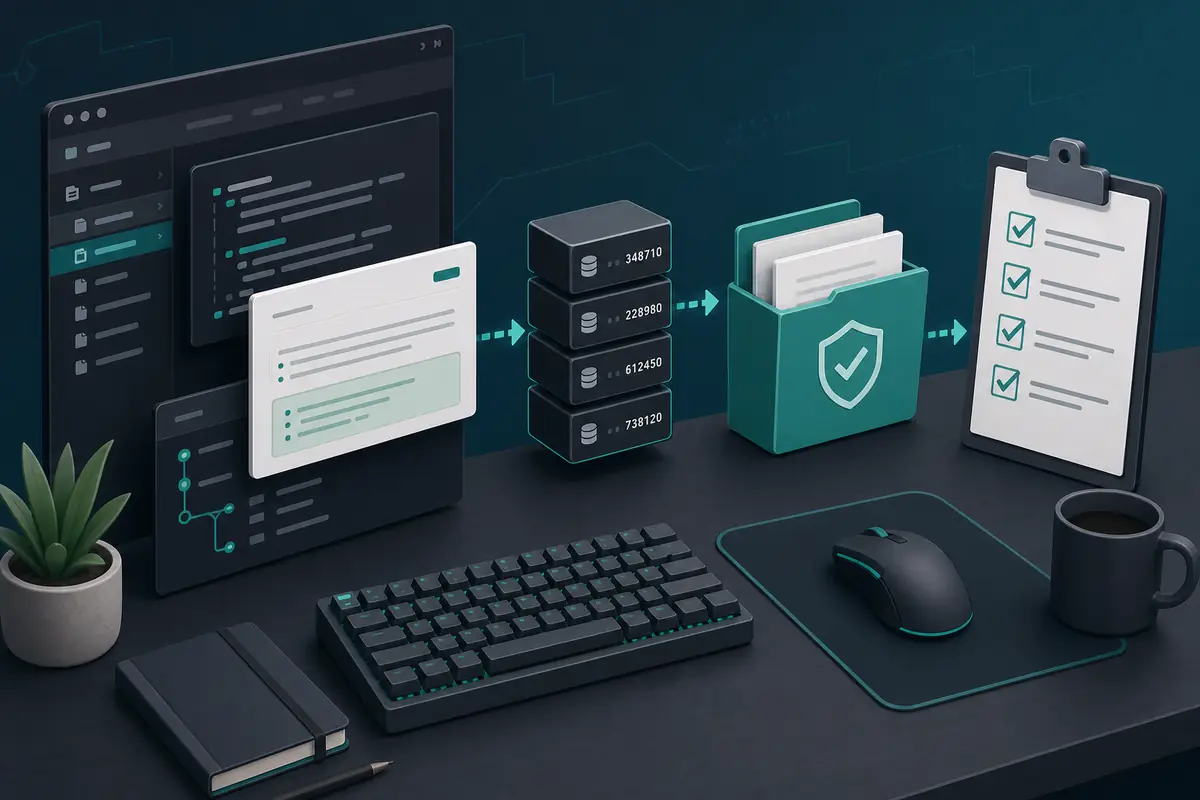
DepotDownloader는 복사한 명령이 아니라 ID와 권한 흐름으로 보면 문제를 찾기 쉽습니다. 로그인이나 다운로드 전에 앱, depot, manifest 버전, 브랜치, 대상 폴더를 확인하세요.
목차
특정 Steam depot, manifest 버전, 브랜치, 대상 폴더, 반복 가능한 명령을 직접 제어해야 할 때 DepotDownloader가 맞습니다.
권한 확인을 대신하지는 않습니다. 소유권, 브랜치 접근, 암호화 depot 접근이 없으면 명령 문법만 바꿔도 해결되지 않습니다.
DepotDownloader는 Steam depot 콘텐츠를 다운로드하는 독립 CLI 도구입니다. README, release, 변경 기록, issue를 볼 수 있는 GitHub가 출발점입니다.
빠른 답변: DepotDownloader를 쓸 때
특정 Steam depot, manifest 버전, 브랜치, 대상 폴더, 반복 가능한 명령을 직접 제어해야 할 때 DepotDownloader가 맞습니다.
권한 확인을 대신하지는 않습니다. 소유권, 브랜치 접근, 암호화 depot 접근이 없으면 명령 문법만 바꿔도 해결되지 않습니다.
| Need | Best fit | Why |
|---|---|---|
| I need a SteamTools Lua package | Manifest & Lua Generator | It bundles manifest, Lua, JSON, and key files for a SteamTools-style workflow. |
| I need to check package availability | Steam Manifest Finder | It answers whether this site has a package for an AppID before you download. |
| I need one depot or old depot version | DepotDownloader | It lets you target AppID, DepotID, ManifestID, branch, and output folder explicitly. |
| I only know the game name | AppID Finder | It reduces wrong edition, demo, soundtrack, and DLC AppID mistakes. |
DepotDownloader의 역할과 한계
DepotDownloader는 Steam depot 콘텐츠를 다운로드하는 독립 CLI 도구입니다. README, release, 변경 기록, issue를 볼 수 있는 GitHub가 출발점입니다.
Steam 공식 페이지도, SteamTools 패키지 생성기도, 계정이나 브랜치 제한을 우회하는 도구도 아닙니다.
Open project
Use the repository and release notes as the primary source for syntax, binaries, and changes.
Command-line tool
You plan options before running the command, including app, depot, manifest, branch, and folder.
Permission-bound
Ownership, branch passwords, and encrypted depots still matter.
Depot output
The output is depot files, not automatically a complete SteamTools Lua package.
빠른 답변
If your goal is one controlled depot download, DepotDownloader may fit. If your goal is a ready SteamTools package, use the generator or finder first.
다운로드 전 GitHub 확인
원본 프로젝트나 신뢰할 수 있는 release 링크에서 시작하세요. 이름에 DepotDownloader가 있다는 이유만으로 아카이브를 받지 마세요.
release 날짜와 해결하려는 문제를 비교하세요. 오래된 예시는 branch, manifest, 폴더 옵션을 빠뜨릴 수 있습니다.
| Check | What to inspect | Why it matters |
|---|---|---|
| Repository source | Project owner, README, releases, and issue history | Avoids repackaged or renamed downloads. |
| Release freshness | Latest release date and recent commits | Old binaries may not match current Steam behavior. |
| Binary source | Release asset from the project, not an ad mirror | Reduces wrapper and malware risk. |
| Command examples | README syntax before blog/forum snippets | Examples online often omit branch or manifest options. |
| No forced installer | Avoid password archives, browser extensions, and unrelated EXE wrappers | Depot tools should not require unrelated software layers. |
명령보다 ID를 먼저 계획
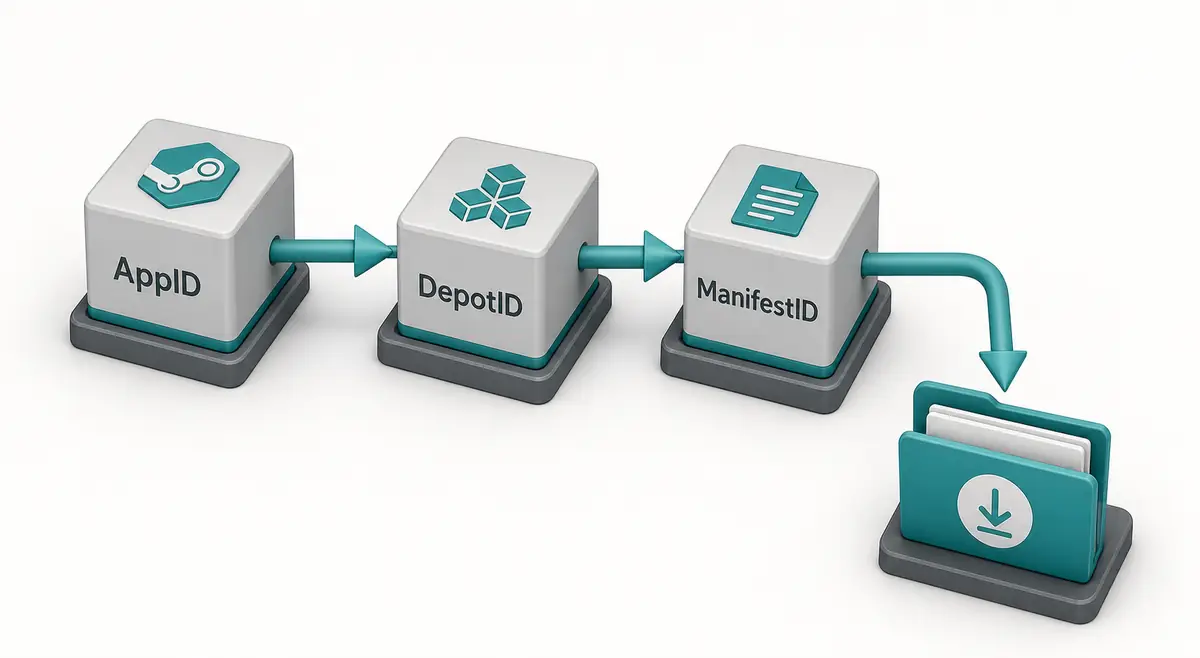
명령의 정확도는 ID에 달려 있습니다. AppID는 앱, DepotID는 콘텐츠 그룹, ManifestID는 해당 depot의 한 버전을 뜻합니다.
실행 전 제목, AppID, depot, DepotID, ManifestID, 브랜치, 대상 폴더를 기록하세요.
-
Confirm the AppID from the store URL, SteamDB, or the AppID Finder.
Do not guess from a game title because demos, DLC, test apps, and soundtracks can have separate AppIDs.
-
Choose the DepotID that matches your target files.
A Windows depot, language depot, DLC depot, or shared asset depot may contain only part of the game.
-
Use ManifestID only when you need a specific version.
For current files, a manifest parameter may be unnecessary. For an older build, the ManifestID must belong to that selected depot.
-
Set a separate output directory.
Never point a first test download straight at your live Steam library.
-
Keep the command and notes together.
Save the IDs and command in a text file so you can audit what happened later.
계정, 브랜치, 폴더 안전 확인
DepotDownloader는 depot에 따라 로그인이 필요할 수 있습니다. 프로젝트 문서를 따르고 자격 증명을 요구하는 래퍼는 피하세요.
먼저 활성 Steam 라이브러리 밖의 깨끗한 폴더에 받고 비교한 뒤 복사하세요.

| Risk | Typical cause | Safer habit |
|---|---|---|
| Login confusion | A copied command does not explain account requirements | Read the current README and avoid credential prompts from mirrors. |
| Branch rejection | The depot belongs to a beta or private branch | Confirm branch name, password requirements, and ownership first. |
| Encrypted content | Depot needs keys not available to the account | Do not assume every depot is downloadable just because a manifest ID exists. |
| Broken install | Files are downloaded into the active game folder | Use a separate folder and compare before replacing anything. |
| Incomplete game | Only one depot was downloaded | Review language, DLC, platform, and shared depots before expecting a full install. |
DepotDownloader와 SteamTools 패키지 차이
DepotDownloader 결과는 보통 depot에서 내려받은 콘텐츠입니다. SteamTools 패키지는 manifest, Lua, JSON, 때로는 VDF나 key를 포함하는 별도 결과물입니다.
DepotDownloader GitHub 검색은 도구와 문법 의도이고, manifest and Lua generator 검색은 바로 쓸 패키지 의도입니다.
| Workflow | Output | Use when |
|---|---|---|
| DepotDownloader | Downloaded depot content in a folder | You need one depot, one manifest version, a branch-aware download, or repeatable CLI logs. |
| Steam console download_depot | Depot content from the Steam client | You need a quick manual download and understand the IDs. |
| Manifest & Lua Generator | ZIP package with manifest, Lua, JSON, and related files | You already know the AppID and want a SteamTools-style package. |
| Steam Manifest Finder | Availability check by AppID | You want to know whether a package exists before downloading. |
| SteamDB Manifest ID Guide | ID explanation and verification steps | You are still sorting out AppID, DepotID, ManifestID, or build history. |
문제 해결: 흔한 원인
대부분의 실패는 접근 권한, 잘못된 depot, 맞지 않는 ManifestID, 오래된 예시 때문입니다.
다운로드가 성공해도 일부만 보일 수 있습니다. 많은 게임이 여러 depot으로 나뉩니다.
| Symptom | Likely cause | First check |
|---|---|---|
| Manifest is rejected | ManifestID does not match the selected DepotID | Return to the depot history and copy the matching version. |
| Login or access error | Ownership, branch, or encrypted depot rules block access | Confirm account access and branch requirements. |
| Only some files download | You targeted one depot from a multi-depot app | Review platform, language, DLC, and shared depots. |
| Command example fails | Syntax changed or example omitted required options | Check the current GitHub README and release notes. |
| SteamTools import still fails | Downloaded content is not a Lua manifest package | Use the Manifest & Lua Generator or verify package files separately. |
전문가 메모
Check ID match first, account and branch access second, syntax third, and destination folder last. Random command swapping usually hides the real mismatch.
FAQ
References
- DepotDownloader on GitHub - Primary project page for releases, documentation, and issue history.
- SteamDB - Useful for checking AppID, depot, branch, build, and manifest context before planning a command.
- Steamworks Depots documentation - Official Valve documentation explaining how Steam depots are organized for applications.
마지막 업데이트: July 1, 2026