DepotDownloader GitHub:Steam depot を落とす前の9つの確認
AppID、DepotID、ManifestID、ブランチ権限、アカウント安全性、SteamTools 向け Manifest/Lua パッケージとの違いを整理する実践ガイドです。

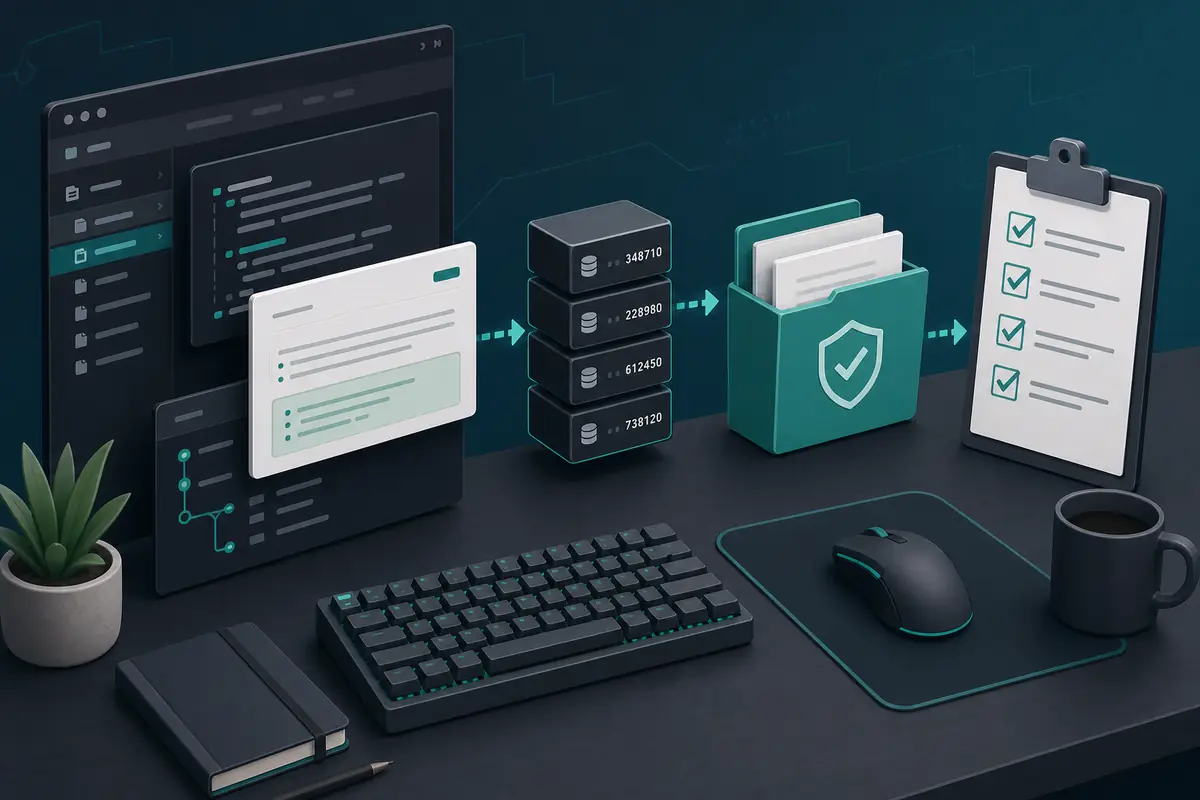
DepotDownloader は、単なるコマンドではなく ID と権限のワークフローとして見ると原因を追いやすくなります。ログインやダウンロード前に app、depot、manifest 版、branch、保存先を確認しましょう。
目次
特定の Steam depot、manifest 版、branch、保存先フォルダ、再利用できるコマンドを明確に管理したいときに DepotDownloader が向いています。
権限確認の代わりにはなりません。所有権、branch 権限、暗号化 depot へのアクセスがなければ、構文を変えても解決しません。
DepotDownloader は Steam depot コンテンツを取得する独立したコマンドラインツールです。README、release、履歴、issue を確認できる GitHub が出発点です。
先に結論:DepotDownloader を使う場面
特定の Steam depot、manifest 版、branch、保存先フォルダ、再利用できるコマンドを明確に管理したいときに DepotDownloader が向いています。
権限確認の代わりにはなりません。所有権、branch 権限、暗号化 depot へのアクセスがなければ、構文を変えても解決しません。
| Need | Best fit | Why |
|---|---|---|
| I need a SteamTools Lua package | Manifest & Lua Generator | It bundles manifest, Lua, JSON, and key files for a SteamTools-style workflow. |
| I need to check package availability | Steam Manifest Finder | It answers whether this site has a package for an AppID before you download. |
| I need one depot or old depot version | DepotDownloader | It lets you target AppID, DepotID, ManifestID, branch, and output folder explicitly. |
| I only know the game name | AppID Finder | It reduces wrong edition, demo, soundtrack, and DLC AppID mistakes. |
DepotDownloader とは何か、何ではないか
DepotDownloader は Steam depot コンテンツを取得する独立したコマンドラインツールです。README、release、履歴、issue を確認できる GitHub が出発点です。
Steam 公式ページでも SteamTools パッケージ生成器でもなく、アカウントや branch 制限を回避するものでもありません。
Open project
Use the repository and release notes as the primary source for syntax, binaries, and changes.
Command-line tool
You plan options before running the command, including app, depot, manifest, branch, and folder.
Permission-bound
Ownership, branch passwords, and encrypted depots still matter.
Depot output
The output is depot files, not automatically a complete SteamTools Lua package.
先に結論
If your goal is one controlled depot download, DepotDownloader may fit. If your goal is a ready SteamTools package, use the generator or finder first.
ダウンロード前に GitHub で見ること
元のプロジェクトまたは信頼できる release から始めます。名前に DepotDownloader とあるだけのアーカイブは避けます。
release 日付と目的を照合します。古い例は branch、manifest、保存先の指定が抜けていることがあります。
| Check | What to inspect | Why it matters |
|---|---|---|
| Repository source | Project owner, README, releases, and issue history | Avoids repackaged or renamed downloads. |
| Release freshness | Latest release date and recent commits | Old binaries may not match current Steam behavior. |
| Binary source | Release asset from the project, not an ad mirror | Reduces wrapper and malware risk. |
| Command examples | README syntax before blog/forum snippets | Examples online often omit branch or manifest options. |
| No forced installer | Avoid password archives, browser extensions, and unrelated EXE wrappers | Depot tools should not require unrelated software layers. |
コマンドより先に ID を決める
コマンドの正確さは ID 次第です。AppID は app、DepotID は内容グループ、ManifestID はその depot の版を示します。
実行前にタイトル、AppID、depot、DepotID、ManifestID、branch、保存先をメモします。
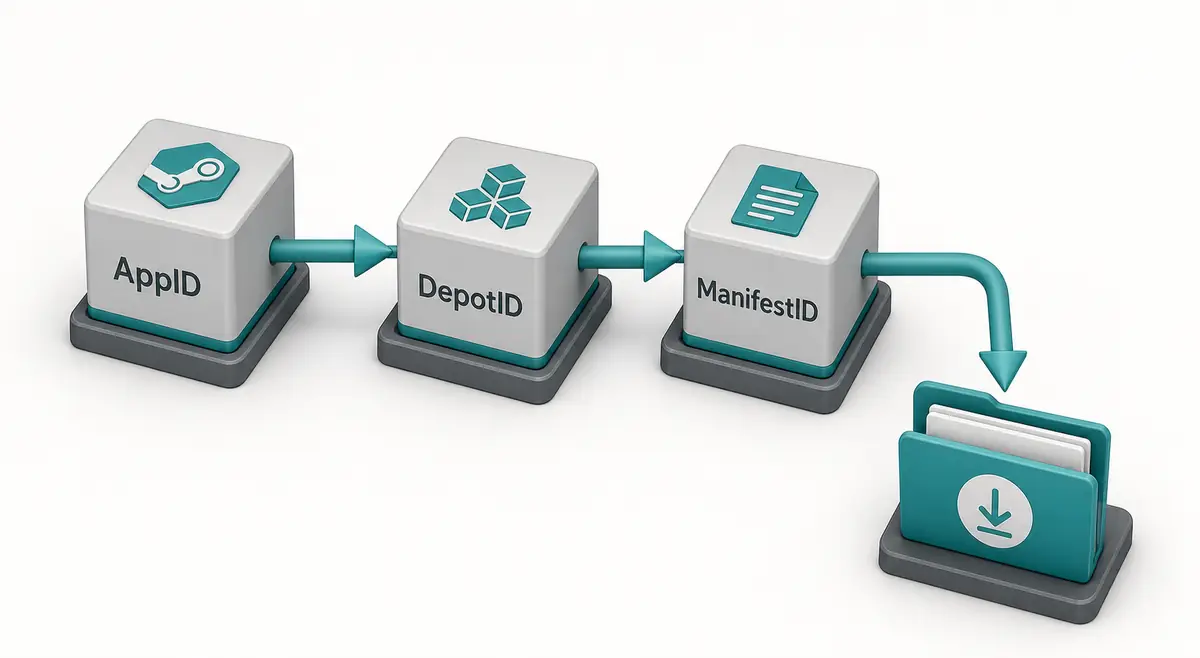
-
Confirm the AppID from the store URL, SteamDB, or the AppID Finder.
Do not guess from a game title because demos, DLC, test apps, and soundtracks can have separate AppIDs.
-
Choose the DepotID that matches your target files.
A Windows depot, language depot, DLC depot, or shared asset depot may contain only part of the game.
-
Use ManifestID only when you need a specific version.
For current files, a manifest parameter may be unnecessary. For an older build, the ManifestID must belong to that selected depot.
-
Set a separate output directory.
Never point a first test download straight at your live Steam library.
-
Keep the command and notes together.
Save the IDs and command in a text file so you can audit what happened later.
アカウント、branch、フォルダの安全確認
DepotDownloader は depot によってログインが必要です。公式ドキュメントに従い、認証情報を求める再配布ラッパーは避けます。
まず有効な Steam ライブラリ外の空フォルダへ保存し、比較してからコピーします。

| Risk | Typical cause | Safer habit |
|---|---|---|
| Login confusion | A copied command does not explain account requirements | Read the current README and avoid credential prompts from mirrors. |
| Branch rejection | The depot belongs to a beta or private branch | Confirm branch name, password requirements, and ownership first. |
| Encrypted content | Depot needs keys not available to the account | Do not assume every depot is downloadable just because a manifest ID exists. |
| Broken install | Files are downloaded into the active game folder | Use a separate folder and compare before replacing anything. |
| Incomplete game | Only one depot was downloaded | Review language, DLC, platform, and shared depots before expecting a full install. |
DepotDownloader と SteamTools パッケージの違い
DepotDownloader の出力は通常 depot のダウンロード済み内容です。SteamTools パッケージは manifest、Lua、JSON、場合により VDF や key を含む別物です。
DepotDownloader GitHub はツールや構文の検索意図、manifest and Lua generator は完成パッケージの検索意図です。
| Workflow | Output | Use when |
|---|---|---|
| DepotDownloader | Downloaded depot content in a folder | You need one depot, one manifest version, a branch-aware download, or repeatable CLI logs. |
| Steam console download_depot | Depot content from the Steam client | You need a quick manual download and understand the IDs. |
| Manifest & Lua Generator | ZIP package with manifest, Lua, JSON, and related files | You already know the AppID and want a SteamTools-style package. |
| Steam Manifest Finder | Availability check by AppID | You want to know whether a package exists before downloading. |
| SteamDB Manifest ID Guide | ID explanation and verification steps | You are still sorting out AppID, DepotID, ManifestID, or build history. |
トラブル対応:よくある原因
失敗の多くは権限不足、違う depot、ManifestID の不一致、古い例が原因です。
成功しても内容が少ない場合があります。多くのゲームは複数 depot に分かれています。
| Symptom | Likely cause | First check |
|---|---|---|
| Manifest is rejected | ManifestID does not match the selected DepotID | Return to the depot history and copy the matching version. |
| Login or access error | Ownership, branch, or encrypted depot rules block access | Confirm account access and branch requirements. |
| Only some files download | You targeted one depot from a multi-depot app | Review platform, language, DLC, and shared depots. |
| Command example fails | Syntax changed or example omitted required options | Check the current GitHub README and release notes. |
| SteamTools import still fails | Downloaded content is not a Lua manifest package | Use the Manifest & Lua Generator or verify package files separately. |
専門メモ
Check ID match first, account and branch access second, syntax third, and destination folder last. Random command swapping usually hides the real mismatch.
FAQ
References
- DepotDownloader on GitHub - Primary project page for releases, documentation, and issue history.
- SteamDB - Useful for checking AppID, depot, branch, build, and manifest context before planning a command.
- Steamworks Depots documentation - Official Valve documentation explaining how Steam depots are organized for applications.
最終更新: July 1, 2026