Steam Lua Generator:Lua、Manifest、AppIDを確認する方法
SteamのLuaパッケージに何が含まれるべきか、SteamToolsに入れる前にAppID、depot manifest、キーの不一致を避ける方法を整理します。

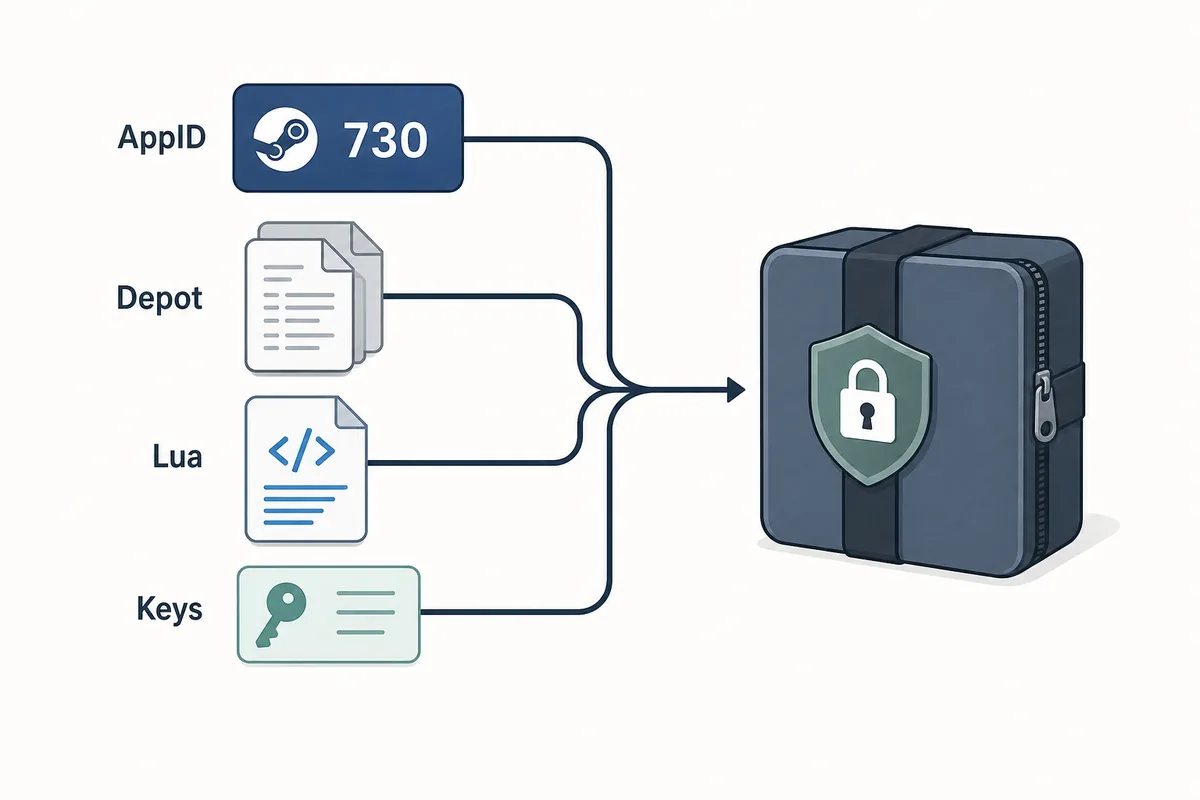
A useful Steam Lua generator keeps the AppID, depot manifest files, Lua script, metadata, and keys in one aligned package.
目次
Steam Lua generatorは、利用したいSteam AppIDとmanifestファイルに一致するLuaスクリプトを得られるときに役立ちます。ただし、この言葉は広く使われるため、実際にはAppID、depot manifest、JSONメタデータ、Lua、VDFやキーが同じビルドを指しているかを確認する必要があります。
ファイルをすぐ取得したい場合は、このサイトのメインManifest & Lua Generatorを使います。このページはその前後の確認、つまりAppIDが正しいか、Luaがmanifestセットに対応しているか、古いパッケージが更新後に失敗する理由を理解するための補助ガイドです。
生成ツールは作業を速くしますが、安全確認そのものではありません。安定した流れはAppID確認から始まり、SteamToolsへ入れる前のファイル一覧チェックで終わります。
Steam Lua Generatorが作るもの
Steam Lua generatorは、SteamTools系の流れで使う小さなテキストベースのファイルをまとめるためのものです。Luaは多くの場合、取り込み手順やマッピングを担い、manifestはdepotのバージョン情報を示します。JSONメタデータはタイトル、AppID、depot一覧、入手元を確認する助けになります。
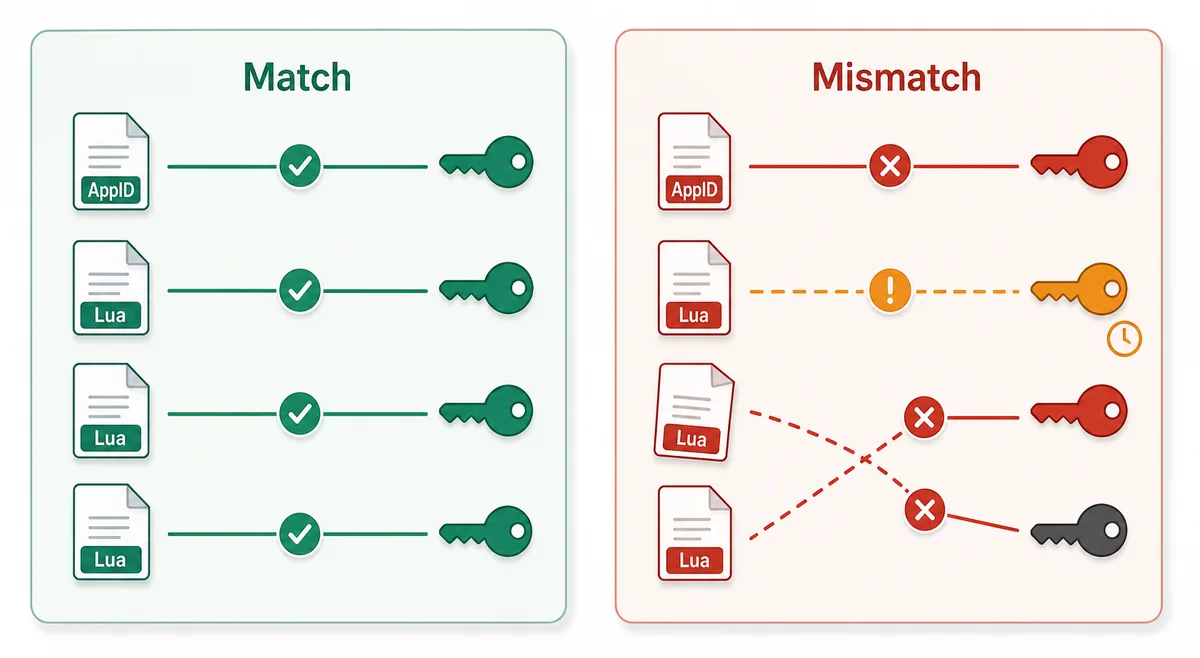
重要なのは整合性です。ゲーム名が似ているだけで、別のAppIDのLuaと別ソースのmanifestを混ぜてはいけません。Steamにはデモ、DLC、サウンドトラック、地域別パッケージ、古いビルドがあるため、タイトルより番号の確認が重要です。
Lua script
Connects the package to the SteamTools import flow and should name the same AppID.
Manifest files
Describe depot build versions and must be fresh enough for the current game state.
JSON metadata
Lets you verify title, AppID, depot list, and package source before import.
VDF and keys
Support package completion when the workflow requires key or VDF data.
LuaファイルとManifestファイルの違い
Lua manifest generatorと検索すると、Luaとmanifestが同じもののように見えることがありますが、役割は別です。manifestはdepotのバージョンデータで、Luaは対象ツールが読むマッピングや指示のファイルです。
パッケージが失敗するときは、どちらか一方がないのではなく、ファイル同士が同じAppIDやビルドを指していないことがよくあります。下の表で確認対象を分けると、メイン生成ツールの意図を重複させずに問題を切り分けられます。
| File or data | What it does | What to verify |
|---|---|---|
| AppID | Identifies the exact Steam app, edition, demo, or DLC entry | The number matches the store, SteamDB, or your intended package |
| Depot manifest | Points to depot content versions for a build | The depot belongs to the same app and is not stale after an update |
| Lua file | Maps package data for a SteamTools-style import | The AppID inside or near the Lua package matches the manifest set |
| JSON metadata | Summarizes title, depots, and source context | The package description agrees with the files |
| VDF/key data | Provides supporting package data when needed | Missing or mismatched keys are not hidden by a wrapper |
AppIDからLua取り込みまでの安全な流れ
フォーラムやミラーのファイル名から始めず、まずAppIDを確認します。その後、パッケージが存在するかを調べ、生成またはダウンロードし、最後にファイル一覧を見ます。この順番なら、別エディション、DLC、古いビルドの取り違えを減らせます。
健全なパッケージは、実行ファイルを起動しなくても中身を確認できるはずです。manifestやLuaは通常小さなテキストまたはデータファイルなので、強制インストーラー、ブラウザ拡張、パスワード付きアーカイブ、隠されたファイル一覧は警戒すべきです。
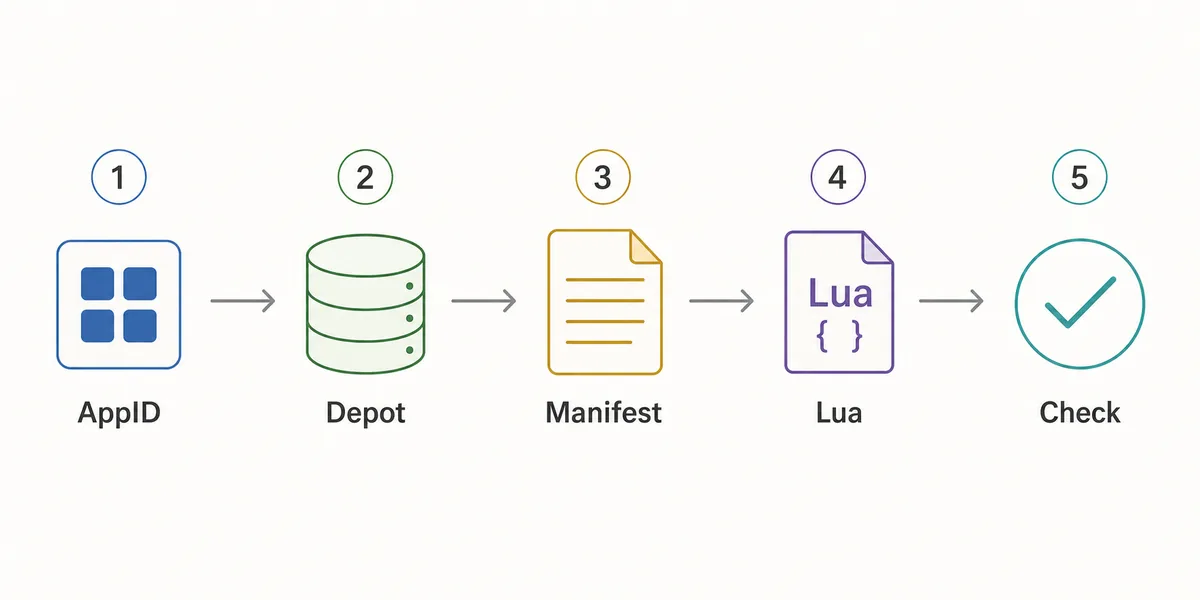
- Confirm the AppID
Use the Steam store URL, SteamDB, or the AppID Finder before you generate anything.
- Check package availability
Use Steam Manifest Finder when you want to know whether a package exists before download.
- Generate the package
Use the main generator when you already know the AppID and need manifest, Lua, JSON, and key files together.
- Inspect the file list
Look for matching AppID references, .manifest files, a .lua file, readable metadata, and expected VDF or key data.
- Refresh after patches
If a game updated recently, stale manifests can fail even when the Lua file looks correct.
取り込み前の確認チェックリスト
Luaパッケージを取り込む前に、この簡単なチェックを使います。目的はSteam depotの全ファイルを解析することではなく、明らかな不一致を早く見つけることです。
どれかが外れていれば一つ前の手順に戻ります。AppIDを再確認し、finderで存在を確認し、最近更新されたゲームなら新しいパッケージを生成してください。
| Check | Pass signal | What to do if it fails |
|---|---|---|
| AppID consistency | Folder, metadata, Lua, and package name point to the same AppID | Use AppID Finder or SteamDB to confirm the correct number |
| Manifest presence | One or more .manifest files are included | Regenerate or use the downloader instead of a partial mirror |
| Lua presence | A readable .lua file is included when SteamTools import is the goal | Do not substitute a Lua file from another package |
| Metadata readability | JSON or notes identify game title and depot context | Avoid packages that hide everything behind an installer |
| Update freshness | Package date is newer than the last relevant game patch | Generate a fresh package before changing SteamTools settings |
| No executable wrapper | Files are visible without running a separate program | Do not run unknown executables for small manifest packages |
どのページを使うべきか
このサイトに複数のページがあるのは、検索意図が異なるためです。Steam Lua generatorは説明とメイン生成ツールへの導線が必要で、Steam manifest finderは存在確認、SteamDB manifest IDは識別子の理解が中心です。
パッケージの意味を知りたいときはこのガイドを使い、実際にファイルを作る段階ではメインのManifest & Lua Generatorを使ってください。
| Need | Best page | Why |
|---|---|---|
| I know the AppID and want the package | Manifest & Lua Generator | Fastest route to the combined manifest and Lua download |
| I want to know whether files exist first | Steam Manifest Finder | Checks availability before download |
| I only know the game name | AppID Finder | Reduces wrong game, DLC, demo, or soundtrack mistakes |
| I need GitHub or repository context | Steam Manifest GitHub Guide | Explains source and mirror checks |
| I need command-line depot download context | DepotDownloader GitHub Guide | Keeps DepotDownloader workflows separate from SteamTools packages |
Intent boundary
A Steam Lua generator guide should educate and route users. The actual package generation belongs on the main tool page.
FAQ
参考リンク
- Steamworks Documentation - Applications and depots - Official background on how Steam applications and depots are structured.
- SteamDB technical blog - Steam download system - Technical explanation of Steam depots, manifests, and content delivery.
- PCGamingWiki - Steam - Community technical reference for Steam-related files and troubleshooting.
最終更新: July 5, 2026