Steam Lua Generator: controllare Lua, Manifest e AppID
Una guida pratica per capire cosa contiene un pacchetto Lua di Steam e come evitare AppID, manifest depot e chiavi non corrispondenti prima di SteamTools.

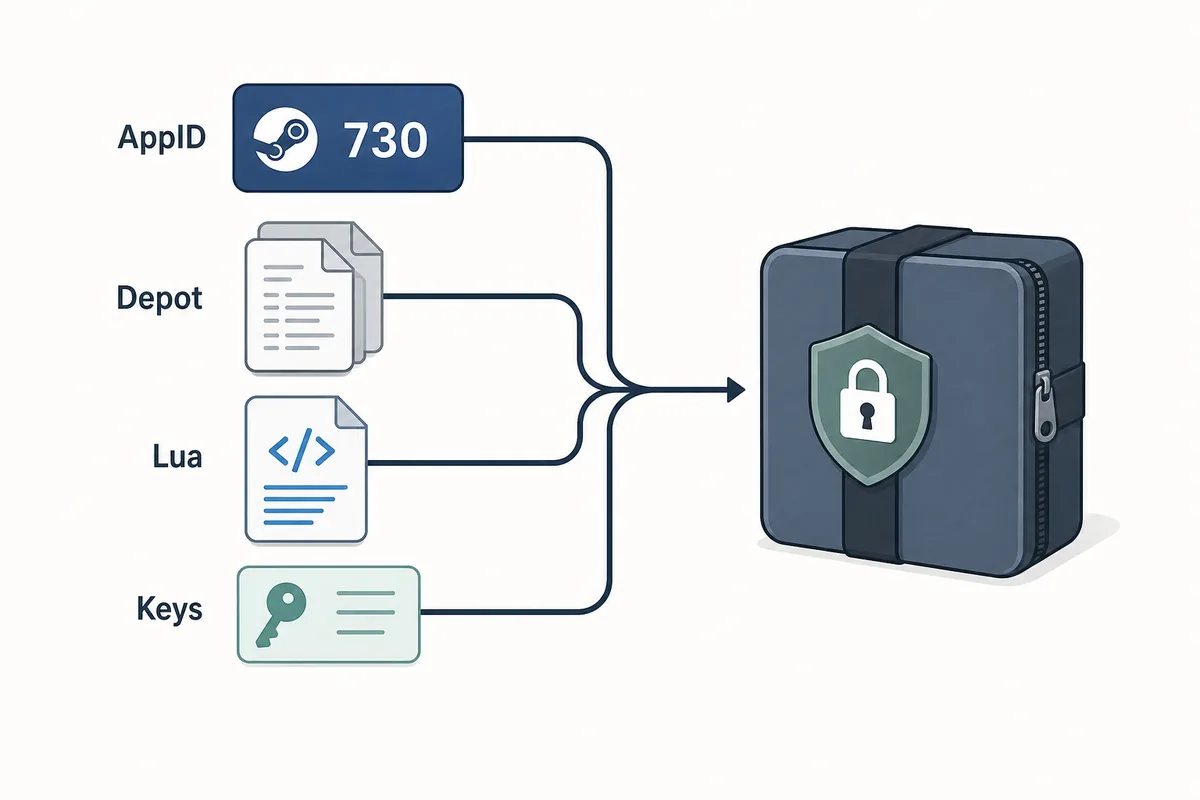
A useful Steam Lua generator keeps the AppID, depot manifest files, Lua script, metadata, and keys in one aligned package.
Indice
Uno Steam Lua generator e utile quando fornisce uno script Lua coerente con l'AppID Steam esatto e i file manifest che vuoi usare. Il termine e ampio, ma il pacchetto deve essere coerente: AppID, depot manifest, metadati JSON, Lua e dati VDF o chiavi devono puntare allo stesso build.
Se devi solo scaricare i file, usa il Manifest & Lua Generator principale del sito. Questa pagina copre il prima e il dopo: confermare l'AppID corretto, controllare che il Lua appartenga al set di manifest e capire perche i pacchetti vecchi falliscono dopo gli aggiornamenti.
Il generatore accelera il packaging, ma non sostituisce la verifica. Un buon flusso parte dall'AppID e termina con un controllo rapido prima di importare in SteamTools.
Cosa crea uno Steam Lua Generator
Uno Steam Lua generator dovrebbe preparare i piccoli file testuali richiesti da un workflow simile a SteamTools. Il file Lua e spesso il livello di istruzioni, mentre i manifest descrivono le versioni dei depot. I metadati JSON aiutano a verificare titolo, AppID, elenco depot e origine del pacchetto.
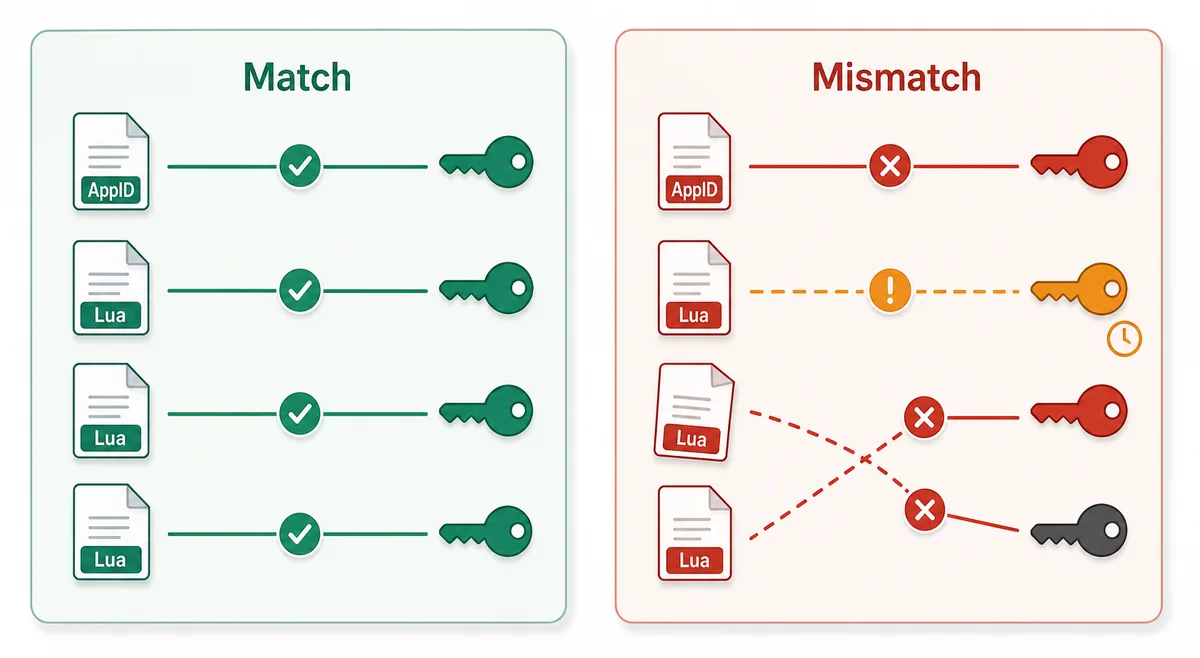
Il punto essenziale e l'allineamento. Un Lua di un AppID non va mescolato con manifest di un'altra fonte solo perche i nomi dei giochi sembrano simili. Steam puo avere demo, DLC, colonne sonore, pacchetti regionali e build vecchie.
Lua script
Connects the package to the SteamTools import flow and should name the same AppID.
Manifest files
Describe depot build versions and must be fresh enough for the current game state.
JSON metadata
Lets you verify title, AppID, depot list, and package source before import.
VDF and keys
Support package completion when the workflow requires key or VDF data.
File Lua e file Manifest
Molte ricerche per Lua manifest generator fanno sembrare Lua e manifest lo stesso file. Non lo sono. Il manifest contiene dati di versione del depot; il Lua e il file di mapping o istruzioni usato dallo strumento.
Quando un pacchetto fallisce, spesso il problema e che i file non concordano tra loro, non che manchi solo un tipo di file. La tabella separa cosa controllare.
| File or data | What it does | What to verify |
|---|---|---|
| AppID | Identifies the exact Steam app, edition, demo, or DLC entry | The number matches the store, SteamDB, or your intended package |
| Depot manifest | Points to depot content versions for a build | The depot belongs to the same app and is not stale after an update |
| Lua file | Maps package data for a SteamTools-style import | The AppID inside or near the Lua package matches the manifest set |
| JSON metadata | Summarizes title, depots, and source context | The package description agrees with the files |
| VDF/key data | Provides supporting package data when needed | Missing or mismatched keys are not hidden by a wrapper |
Flusso sicuro: da AppID a import Lua
Parti dall'AppID, non da un nome file trovato in un forum o mirror. Poi controlla la disponibilita del pacchetto, generalo o scaricalo e ispeziona la lista dei file.
Un pacchetto pulito deve essere verificabile senza eseguire programmi. Poiche manifest e Lua sono file piccoli, installer obbligatori, estensioni browser, archivi con password o liste nascoste sono segnali di rischio.
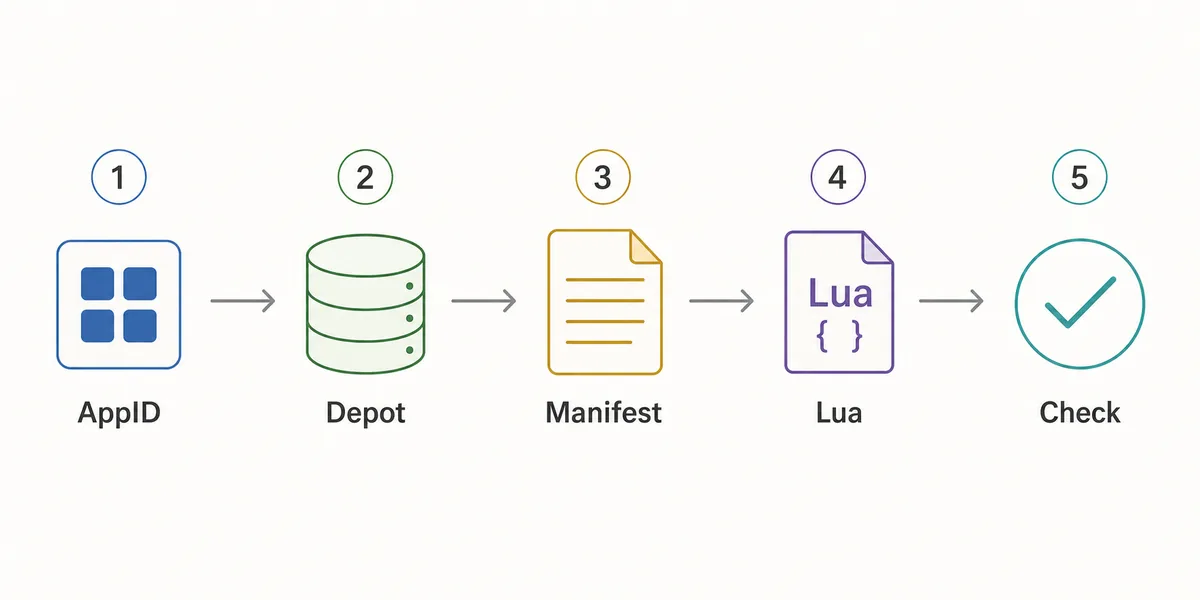
- Confirm the AppID
Use the Steam store URL, SteamDB, or the AppID Finder before you generate anything.
- Check package availability
Use Steam Manifest Finder when you want to know whether a package exists before download.
- Generate the package
Use the main generator when you already know the AppID and need manifest, Lua, JSON, and key files together.
- Inspect the file list
Look for matching AppID references, .manifest files, a .lua file, readable metadata, and expected VDF or key data.
- Refresh after patches
If a game updated recently, stale manifests can fail even when the Lua file looks correct.
Checklist prima dell'import
Usa questa checklist prima di importare un pacchetto Lua. Serve a trovare rapidamente incongruenze evidenti, non ad analizzare ogni file interno di un depot Steam.
Se qualcosa non torna, torna indietro: controlla l'AppID, usa il finder o genera un pacchetto nuovo dopo un aggiornamento recente.
| Check | Pass signal | What to do if it fails |
|---|---|---|
| AppID consistency | Folder, metadata, Lua, and package name point to the same AppID | Use AppID Finder or SteamDB to confirm the correct number |
| Manifest presence | One or more .manifest files are included | Regenerate or use the downloader instead of a partial mirror |
| Lua presence | A readable .lua file is included when SteamTools import is the goal | Do not substitute a Lua file from another package |
| Metadata readability | JSON or notes identify game title and depot context | Avoid packages that hide everything behind an installer |
| Update freshness | Package date is newer than the last relevant game patch | Generate a fresh package before changing SteamTools settings |
| No executable wrapper | Files are visible without running a separate program | Do not run unknown executables for small manifest packages |
Quale pagina usare
Il sito ha piu pagine perche le intenzioni di ricerca sono diverse. Steam Lua generator richiede spiegazione e collegamento al generatore principale; Steam manifest finder controlla disponibilita; SteamDB manifest ID spiega gli identificatori.
Usa questa guida per capire il pacchetto. Usa il generatore quando sei pronto a creare o scaricare i file.
| Need | Best page | Why |
|---|---|---|
| I know the AppID and want the package | Manifest & Lua Generator | Fastest route to the combined manifest and Lua download |
| I want to know whether files exist first | Steam Manifest Finder | Checks availability before download |
| I only know the game name | AppID Finder | Reduces wrong game, DLC, demo, or soundtrack mistakes |
| I need GitHub or repository context | Steam Manifest GitHub Guide | Explains source and mirror checks |
| I need command-line depot download context | DepotDownloader GitHub Guide | Keeps DepotDownloader workflows separate from SteamTools packages |
Intent boundary
A Steam Lua generator guide should educate and route users. The actual package generation belongs on the main tool page.
FAQ
Riferimenti
- Steamworks Documentation - Applications and depots - Official background on how Steam applications and depots are structured.
- SteamDB technical blog - Steam download system - Technical explanation of Steam depots, manifests, and content delivery.
- PCGamingWiki - Steam - Community technical reference for Steam-related files and troubleshooting.
Aggiornato: July 5, 2026