Steam Lua Generator: Lua, Manifest und AppID pruefen
Ein praktischer Leitfaden, der erklaert, was ein Steam-Lua-Paket enthalten sollte und wie du falsche AppID-, Manifest- und Key-Kombinationen vermeidest.

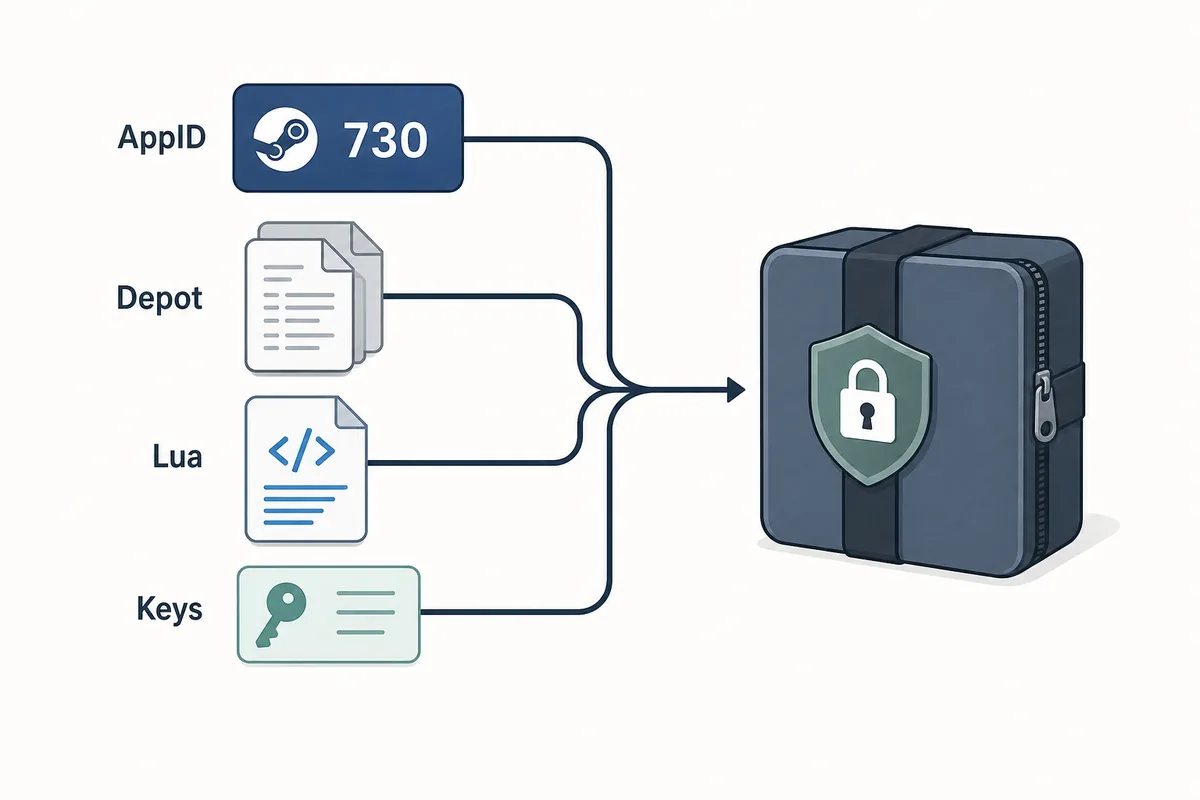
A useful Steam Lua generator keeps the AppID, depot manifest files, Lua script, metadata, and keys in one aligned package.
Inhalt
Ein Steam Lua generator ist hilfreich, wenn er ein Lua-Skript liefert, das zur exakten Steam-AppID und zu den Manifest-Dateien passt, die du verwenden willst. Der Begriff wird oft locker genutzt, aber das Paket muss konsistent sein: AppID, Depot-Manifests, JSON-Metadaten, Lua sowie VDF- oder Key-Daten muessen denselben Build beschreiben.
Wenn du nur Dateien herunterladen willst, nutze den Hauptgenerator dieser Website. Diese Seite erklaert die Schritte davor und danach: ob die AppID stimmt, ob die Lua-Datei zum Manifest-Set gehoert und warum veraltete Pakete nach Updates fehlschlagen.
Der Generator ist eine Abkuerzung beim Paketieren, keine vollstaendige Sicherheitspruefung. Ein guter Ablauf beginnt mit der AppID und endet mit einer kurzen Kontrolle, bevor etwas in SteamTools importiert wird.
Was ein Steam Lua Generator erstellt
Ein Steam Lua generator sollte die kleinen textbasierten Dateien vorbereiten, die ein SteamTools-aehnlicher Workflow erwartet. Die Lua-Datei ist meist die Anweisungsebene, waehrend Manifest-Dateien Depot-Versionen beschreiben. JSON-Metadaten helfen dabei, Spieltitel, AppID, Depot-Liste und Paketquelle zu pruefen.
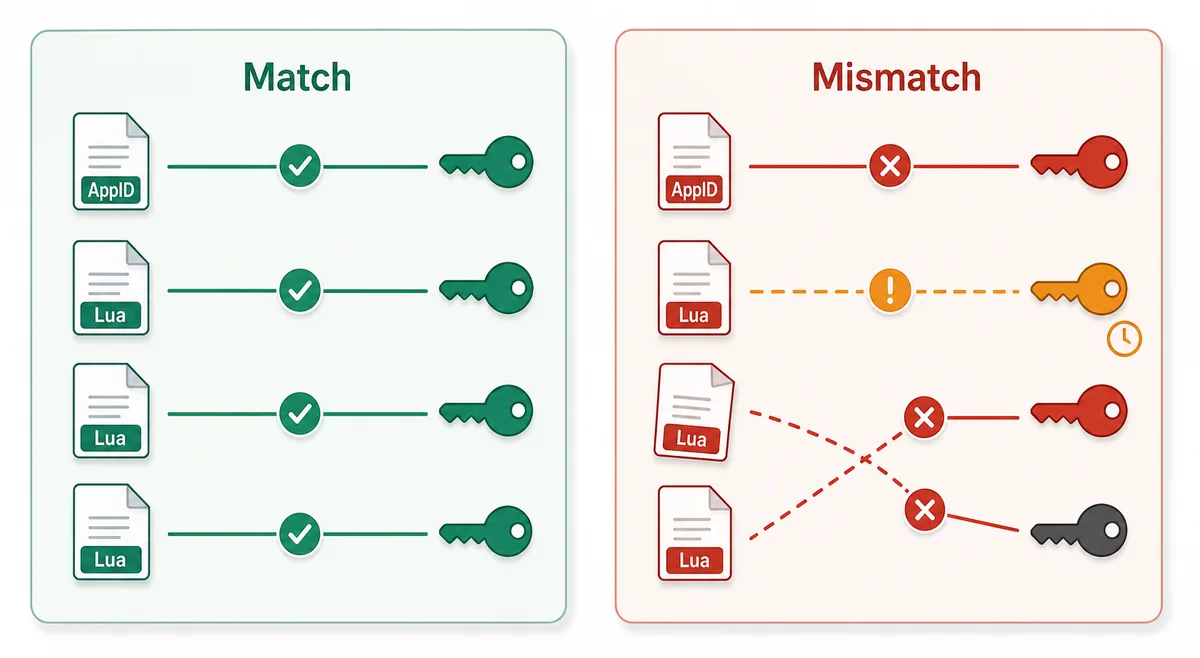
Entscheidend ist die Uebereinstimmung. Eine Lua-Datei fuer eine AppID sollte nicht mit Manifests aus einer anderen Quelle gemischt werden, nur weil die Spielnamen aehnlich aussehen. Steam kann Demos, DLC, Soundtracks, regionale Pakete und alte Builds getrennt fuehren.
Lua script
Connects the package to the SteamTools import flow and should name the same AppID.
Manifest files
Describe depot build versions and must be fresh enough for the current game state.
JSON metadata
Lets you verify title, AppID, depot list, and package source before import.
VDF and keys
Support package completion when the workflow requires key or VDF data.
Lua-Datei vs Manifest-Datei
Viele Suchanfragen behandeln Lua manifest generator so, als waeren Lua und Manifest dieselbe Datei. Das stimmt nicht. Das Manifest enthaelt Depot-Versionsdaten; Lua ist die Mapping- oder Anweisungsdatei fuer das Zieltool.
Wenn ein Paket scheitert, fehlt oft nicht nur ein Dateityp. Haefig zeigen die Dateien auf unterschiedliche AppIDs oder Builds. Die Tabelle trennt die Pruefpunkte klar.
| File or data | What it does | What to verify |
|---|---|---|
| AppID | Identifies the exact Steam app, edition, demo, or DLC entry | The number matches the store, SteamDB, or your intended package |
| Depot manifest | Points to depot content versions for a build | The depot belongs to the same app and is not stale after an update |
| Lua file | Maps package data for a SteamTools-style import | The AppID inside or near the Lua package matches the manifest set |
| JSON metadata | Summarizes title, depots, and source context | The package description agrees with the files |
| VDF/key data | Provides supporting package data when needed | Missing or mismatched keys are not hidden by a wrapper |
Sicherer Ablauf: von AppID zu Lua-Import
Beginne mit der AppID, nicht mit einem Dateinamen aus einem Forum oder Mirror. Danach pruefst du die Paketverfuegbarkeit, erzeugst oder laedst das Paket und siehst dir die Dateiliste an.
Ein sauberes Paket sollte ohne ausfuehrbares Programm pruefbar sein. Da Manifest- und Lua-Pakete klein sind, sind erzwungene Installer, Browser-Erweiterungen, Passwortarchive oder versteckte Dateilisten Warnsignale.
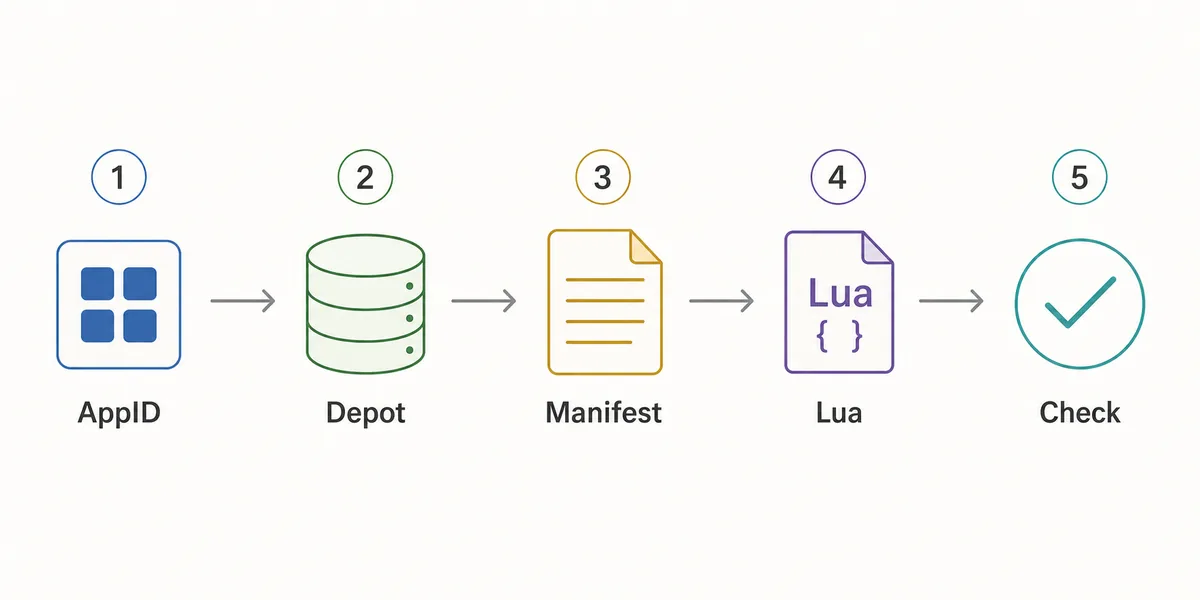
- Confirm the AppID
Use the Steam store URL, SteamDB, or the AppID Finder before you generate anything.
- Check package availability
Use Steam Manifest Finder when you want to know whether a package exists before download.
- Generate the package
Use the main generator when you already know the AppID and need manifest, Lua, JSON, and key files together.
- Inspect the file list
Look for matching AppID references, .manifest files, a .lua file, readable metadata, and expected VDF or key data.
- Refresh after patches
If a game updated recently, stale manifests can fail even when the Lua file looks correct.
Checkliste vor dem Import
Nutze diese Checkliste vor dem Import eines Lua-Pakets. Sie soll offensichtliche Unstimmigkeiten schnell finden, nicht jedes Depot im Detail analysieren.
Wenn ein Punkt fehlschlaegt, gehe einen Schritt zurueck: AppID pruefen, Finder nutzen oder nach einem Update ein frisches Paket generieren.
| Check | Pass signal | What to do if it fails |
|---|---|---|
| AppID consistency | Folder, metadata, Lua, and package name point to the same AppID | Use AppID Finder or SteamDB to confirm the correct number |
| Manifest presence | One or more .manifest files are included | Regenerate or use the downloader instead of a partial mirror |
| Lua presence | A readable .lua file is included when SteamTools import is the goal | Do not substitute a Lua file from another package |
| Metadata readability | JSON or notes identify game title and depot context | Avoid packages that hide everything behind an installer |
| Update freshness | Package date is newer than the last relevant game patch | Generate a fresh package before changing SteamTools settings |
| No executable wrapper | Files are visible without running a separate program | Do not run unknown executables for small manifest packages |
Welche Seite solltest du nutzen?
Diese Website hat mehrere Seiten, weil die Suchabsichten unterschiedlich sind. Steam Lua generator braucht Erklaerung plus Weg zum Hauptgenerator; Steam manifest finder prueft Verfuegbarkeit; SteamDB manifest ID erklaert Kennungen.
Nutze diesen Guide, wenn du das Paket verstehen willst. Nutze den Generator, wenn du die Dateien erstellen oder herunterladen willst.
| Need | Best page | Why |
|---|---|---|
| I know the AppID and want the package | Manifest & Lua Generator | Fastest route to the combined manifest and Lua download |
| I want to know whether files exist first | Steam Manifest Finder | Checks availability before download |
| I only know the game name | AppID Finder | Reduces wrong game, DLC, demo, or soundtrack mistakes |
| I need GitHub or repository context | Steam Manifest GitHub Guide | Explains source and mirror checks |
| I need command-line depot download context | DepotDownloader GitHub Guide | Keeps DepotDownloader workflows separate from SteamTools packages |
Intent boundary
A Steam Lua generator guide should educate and route users. The actual package generation belongs on the main tool page.
FAQ
Quellen
- Steamworks Documentation - Applications and depots - Official background on how Steam applications and depots are structured.
- SteamDB technical blog - Steam download system - Technical explanation of Steam depots, manifests, and content delivery.
- PCGamingWiki - Steam - Community technical reference for Steam-related files and troubleshooting.
Aktualisiert: July 5, 2026