Steam Lua Generator: como revisar Lua, Manifest y AppID
Una guia practica para entender que contiene un paquete Lua de Steam, donde encaja el generador y como evitar AppID, manifests depot y claves mezcladas antes de importar en SteamTools.

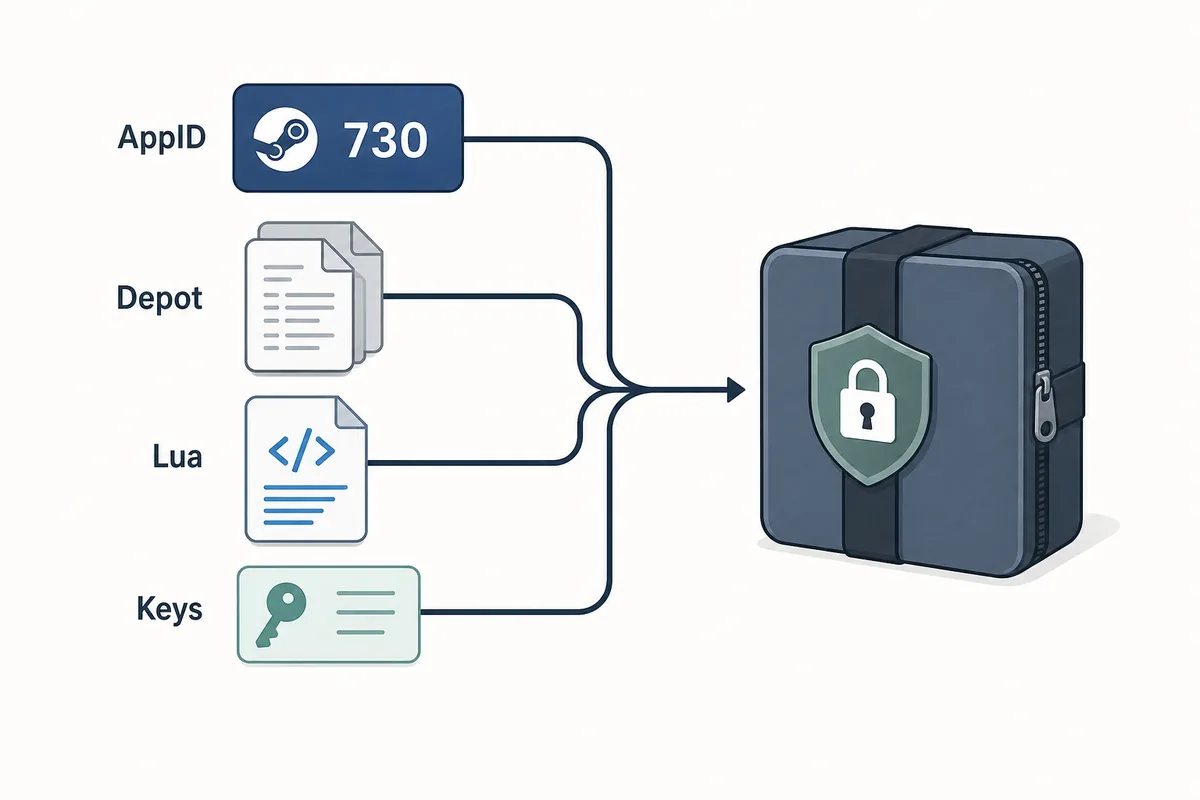
Un Steam Lua generator util mantiene AppID, manifests depot, Lua, metadatos y claves en un paquete coherente.
Contenido
Un Steam Lua generator es util cuando entrega un script Lua que coincide con el AppID exacto de Steam y los archivos manifest que vas a usar. El termino se usa de forma amplia, pero el paquete no deberia ser impreciso: AppID, manifests depot, metadatos JSON, Lua y VDF o claves deben apuntar al mismo build.
Si solo necesitas descargar archivos, usa el Manifest & Lua Generator principal del sitio. Esta guia cubre el paso anterior y posterior: decidir si tienes el AppID correcto, revisar que el Lua pertenece al conjunto de manifests y entender por que los paquetes antiguos fallan tras actualizaciones.
Piensa en el generador como un atajo de empaquetado, no como una comprobacion de seguridad. Un buen flujo empieza confirmando el AppID y termina inspeccionando el paquete antes de importarlo en SteamTools.
Que crea un Steam Lua Generator
Un Steam Lua generator deberia preparar los archivos pequenos y legibles que espera un flujo tipo SteamTools. El Lua suele ser la capa de instrucciones, mientras que los manifests describen versiones de depots. Los metadatos JSON ayudan a comprobar titulo, AppID, lista de depots y fuente del paquete.
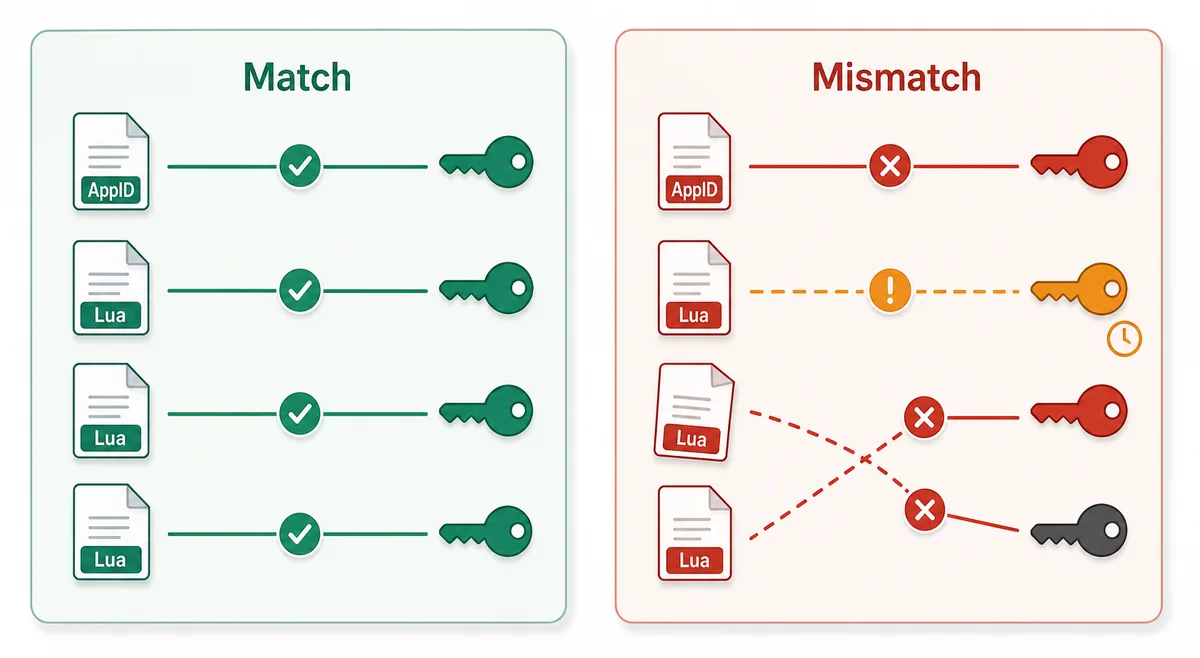
Lo esencial es la coherencia. Un Lua de un AppID no debe mezclarse con manifests de otra fuente solo porque los nombres del juego se parezcan. Steam puede tener demos, DLC, bandas sonoras, paquetes regionales y builds antiguos; por eso el numero importa mas que el titulo.
Lua script
Connects the package to the SteamTools import flow and should name the same AppID.
Manifest files
Describe depot build versions and must be fresh enough for the current game state.
JSON metadata
Lets you verify title, AppID, depot list, and package source before import.
VDF and keys
Support package completion when the workflow requires key or VDF data.
Archivo Lua frente a Manifest
Muchos usuarios buscan Lua manifest generator como si Lua y manifest fueran el mismo archivo. No lo son. El manifest contiene datos de version del depot; el Lua es el archivo de mapeo o instrucciones usado por la herramienta de destino.
Cuando un paquete falla, el problema suele ser que los archivos no estan de acuerdo entre si. La tabla ayuda a decidir que estas comprobando sin duplicar la intencion del generador principal.
| File or data | What it does | What to verify |
|---|---|---|
| AppID | Identifies the exact Steam app, edition, demo, or DLC entry | The number matches the store, SteamDB, or your intended package |
| Depot manifest | Points to depot content versions for a build | The depot belongs to the same app and is not stale after an update |
| Lua file | Maps package data for a SteamTools-style import | The AppID inside or near the Lua package matches the manifest set |
| JSON metadata | Summarizes title, depots, and source context | The package description agrees with the files |
| VDF/key data | Provides supporting package data when needed | Missing or mismatched keys are not hidden by a wrapper |
Flujo seguro: de AppID a importacion Lua
Empieza con el AppID, no con un nombre de archivo encontrado en un foro o espejo. Despues confirma si existe paquete, generarlo o descargarlo e inspecciona la lista de archivos. Ese orden evita errores de edicion, DLC o build equivocados.
Un paquete limpio debe poder revisarse sin ejecutar un programa. Como estos archivos suelen ser texto o datos pequenos, un instalador obligatorio, extension del navegador, archivo con password o lista oculta son senales de riesgo.
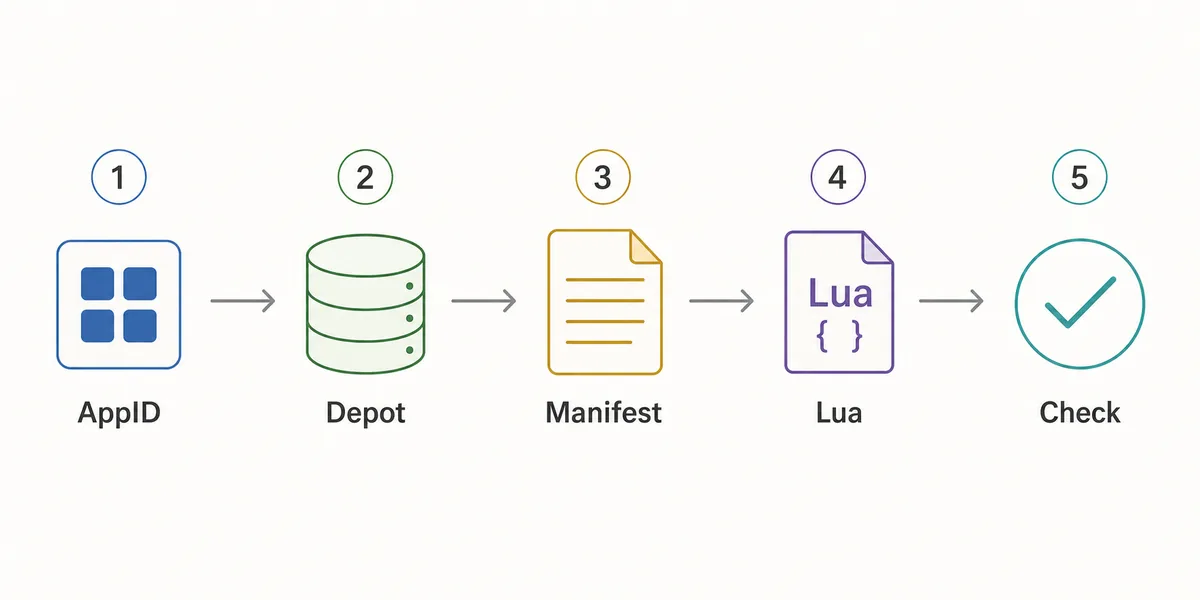
- Confirm the AppID
Use the Steam store URL, SteamDB, or the AppID Finder before you generate anything.
- Check package availability
Use Steam Manifest Finder when you want to know whether a package exists before download.
- Generate the package
Use the main generator when you already know the AppID and need manifest, Lua, JSON, and key files together.
- Inspect the file list
Look for matching AppID references, .manifest files, a .lua file, readable metadata, and expected VDF or key data.
- Refresh after patches
If a game updated recently, stale manifests can fail even when the Lua file looks correct.
Checklist antes de importar
Usa esta lista antes de importar un paquete Lua. Es simple a proposito: busca detectar rapidamente errores obvios, no analizar cada archivo interno de un depot de Steam.
Si algo falla, vuelve un paso atras: revisa el AppID, usa el finder para confirmar disponibilidad o genera un paquete nuevo despues de una actualizacion reciente.
| Check | Pass signal | What to do if it fails |
|---|---|---|
| AppID consistency | Folder, metadata, Lua, and package name point to the same AppID | Use AppID Finder or SteamDB to confirm the correct number |
| Manifest presence | One or more .manifest files are included | Regenerate or use the downloader instead of a partial mirror |
| Lua presence | A readable .lua file is included when SteamTools import is the goal | Do not substitute a Lua file from another package |
| Metadata readability | JSON or notes identify game title and depot context | Avoid packages that hide everything behind an installer |
| Update freshness | Package date is newer than the last relevant game patch | Generate a fresh package before changing SteamTools settings |
| No executable wrapper | Files are visible without running a separate program | Do not run unknown executables for small manifest packages |
Que pagina deberias usar
El sitio tiene varias paginas porque las intenciones de busqueda son distintas. Steam Lua generator necesita explicacion y una ruta al generador principal; Steam manifest finder necesita comprobar disponibilidad; SteamDB manifest ID necesita interpretar identificadores.
Usa esta guia cuando necesites entender el paquete. Usa el generador cuando ya estas listo para crear o descargar los archivos.
| Need | Best page | Why |
|---|---|---|
| I know the AppID and want the package | Manifest & Lua Generator | Fastest route to the combined manifest and Lua download |
| I want to know whether files exist first | Steam Manifest Finder | Checks availability before download |
| I only know the game name | AppID Finder | Reduces wrong game, DLC, demo, or soundtrack mistakes |
| I need GitHub or repository context | Steam Manifest GitHub Guide | Explains source and mirror checks |
| I need command-line depot download context | DepotDownloader GitHub Guide | Keeps DepotDownloader workflows separate from SteamTools packages |
Intent boundary
A Steam Lua generator guide should educate and route users. The actual package generation belongs on the main tool page.
FAQ
Referencias y lecturas
- Steamworks Documentation - Applications and depots - Official background on how Steam applications and depots are structured.
- SteamDB technical blog - Steam download system - Technical explanation of Steam depots, manifests, and content delivery.
- PCGamingWiki - Steam - Community technical reference for Steam-related files and troubleshooting.
Ultima actualizacion: 5 de julio de 2026