DepotDownloader GitHub: 9 comprobaciones antes de descargar un depot de Steam
Guía práctica del flujo de trabajo de DepotDownloader, con AppID, DepotID, ManifestID, acceso a ramas, seguridad de cuenta y diferencias frente a un paquete de manifiesto y Lua para SteamTools.

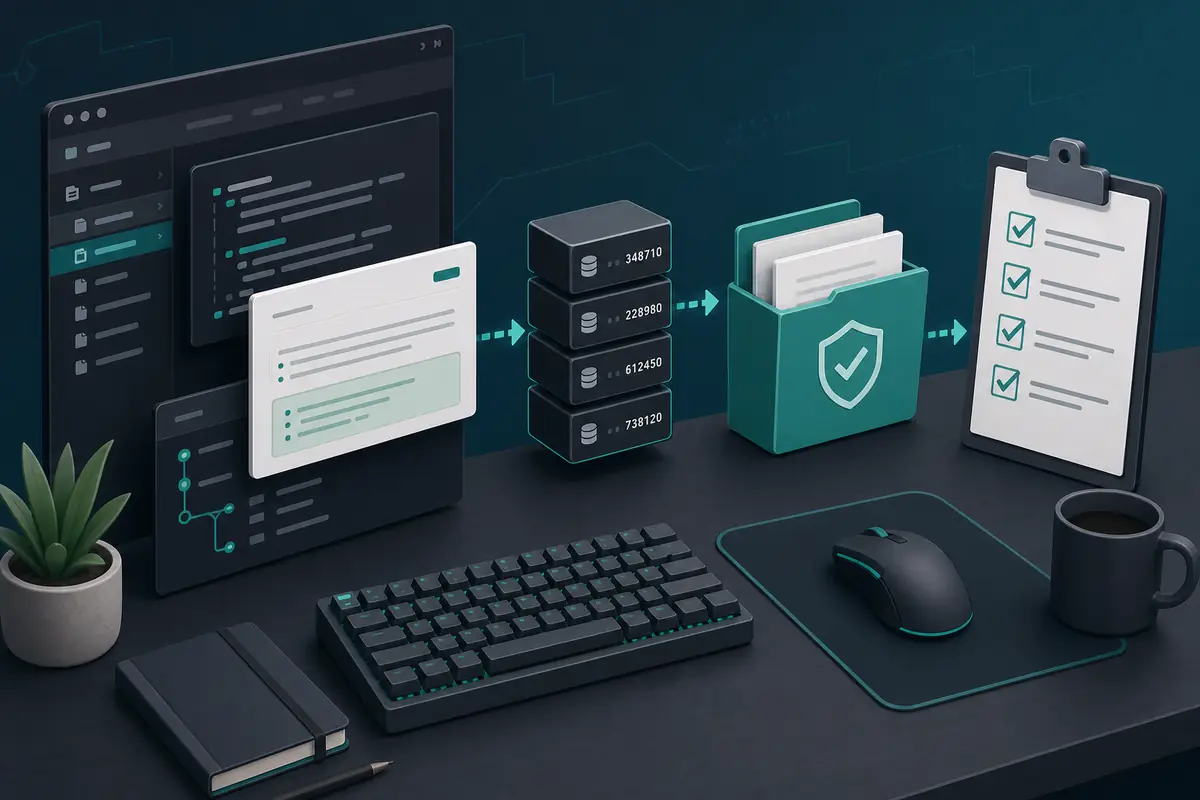
DepotDownloader se depura mejor cuando lo tratas como un flujo de IDs y permisos, no como un comando para copiar. Confirma app, depot, versión de manifiesto, rama y carpeta destino antes de iniciar sesión o descargar.
Tabla de contenidos
Usa DepotDownloader cuando necesitas controlar una descarga de depot de Steam: un depot concreto, una versión de manifest, una rama, una carpeta destino o un comando repetible que puedas revisar más tarde.
No lo uses para saltarte permisos. Si la cuenta no tiene el juego, no puede entrar a la rama o no accede a contenido cifrado, cambiar la sintaxis no resolverá el bloqueo.
DepotDownloader es una herramienta de línea de comandos independiente para descargar contenido de depots de Steam. El proyecto de GitHub es el mejor punto de partida para revisar README, releases, cambios e incidencias antes de confiar en un binario.
Respuesta rápida: cuándo usar DepotDownloader
Usa DepotDownloader cuando necesitas controlar una descarga de depot de Steam: un depot concreto, una versión de manifest, una rama, una carpeta destino o un comando repetible que puedas revisar más tarde.
No lo uses para saltarte permisos. Si la cuenta no tiene el juego, no puede entrar a la rama o no accede a contenido cifrado, cambiar la sintaxis no resolverá el bloqueo.
| Need | Best fit | Why |
|---|---|---|
| I need a SteamTools Lua package | Manifest & Lua Generator | It bundles manifest, Lua, JSON, and key files for a SteamTools-style workflow. |
| I need to check package availability | Steam Manifest Finder | It answers whether this site has a package for an AppID before you download. |
| I need one depot or old depot version | DepotDownloader | It lets you target AppID, DepotID, ManifestID, branch, and output folder explicitly. |
| I only know the game name | AppID Finder | It reduces wrong edition, demo, soundtrack, and DLC AppID mistakes. |
Qué es DepotDownloader y qué no es
DepotDownloader es una herramienta de línea de comandos independiente para descargar contenido de depots de Steam. El proyecto de GitHub es el mejor punto de partida para revisar README, releases, cambios e incidencias antes de confiar en un binario.
No es una página oficial de Steam, ni un generador de paquetes para SteamTools, ni una forma de evitar restricciones de cuenta o rama.
Open project
Use the repository and release notes as the primary source for syntax, binaries, and changes.
Command-line tool
You plan options before running the command, including app, depot, manifest, branch, and folder.
Permission-bound
Ownership, branch passwords, and encrypted depots still matter.
Depot output
The output is depot files, not automatically a complete SteamTools Lua package.
Respuesta rápida
If your goal is one controlled depot download, DepotDownloader may fit. If your goal is a ready SteamTools package, use the generator or finder first.
Comprobaciones en GitHub antes de descargar
Empieza desde el proyecto original o un enlace de release confiable. No descargues un archivo solo porque el título diga DepotDownloader.
Compara la fecha del release con el problema que intentas resolver. Un ejemplo antiguo puede omitir opciones de rama, manifest o carpeta.
| Check | What to inspect | Why it matters |
|---|---|---|
| Repository source | Project owner, README, releases, and issue history | Avoids repackaged or renamed downloads. |
| Release freshness | Latest release date and recent commits | Old binaries may not match current Steam behavior. |
| Binary source | Release asset from the project, not an ad mirror | Reduces wrapper and malware risk. |
| Command examples | README syntax before blog/forum snippets | Examples online often omit branch or manifest options. |
| No forced installer | Avoid password archives, browser extensions, and unrelated EXE wrappers | Depot tools should not require unrelated software layers. |
Planifica los IDs antes del comando
El comando depende de los IDs. AppID identifica la app, DepotID identifica el grupo de contenido y ManifestID identifica una versión concreta de ese depot.
Anota nombre, AppID, depot, DepotID, ManifestID, branch y carpeta destino antes de ejecutar nada.
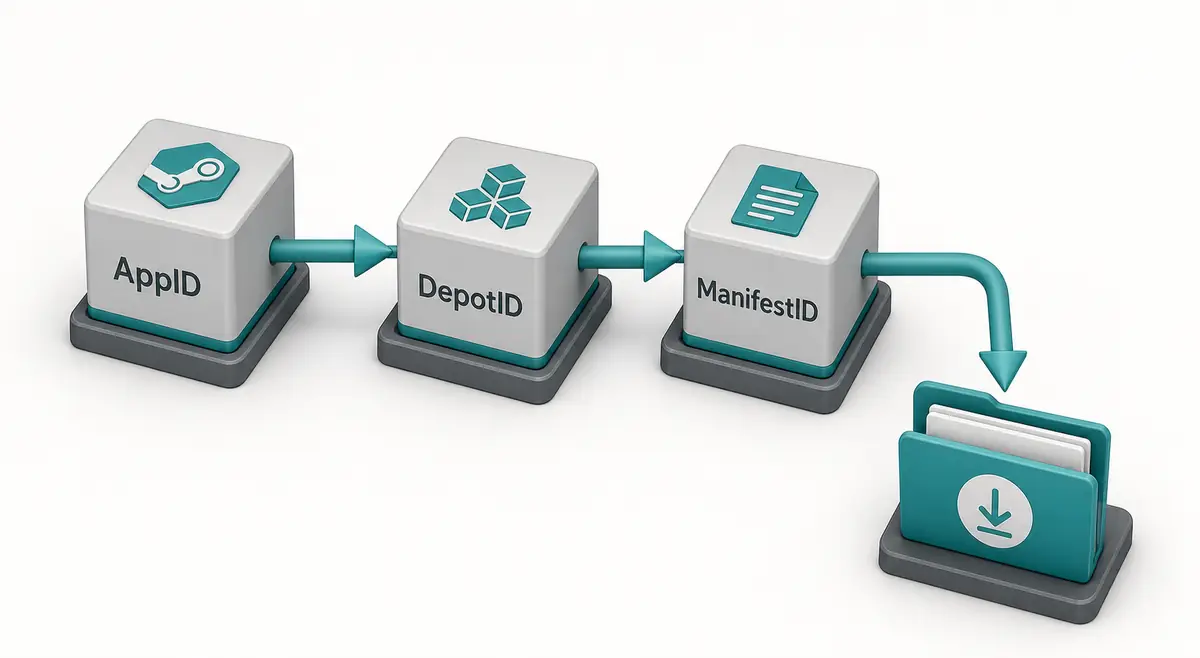
-
Confirm the AppID from the store URL, SteamDB, or the AppID Finder.
Do not guess from a game title because demos, DLC, test apps, and soundtracks can have separate AppIDs.
-
Choose the DepotID that matches your target files.
A Windows depot, language depot, DLC depot, or shared asset depot may contain only part of the game.
-
Use ManifestID only when you need a specific version.
For current files, a manifest parameter may be unnecessary. For an older build, the ManifestID must belong to that selected depot.
-
Set a separate output directory.
Never point a first test download straight at your live Steam library.
-
Keep the command and notes together.
Save the IDs and command in a text file so you can audit what happened later.
Seguridad de cuenta, ramas y carpeta
DepotDownloader puede requerir login según el depot. Usa la documentación del proyecto y evita wrappers que pidan credenciales.
Descarga siempre en una carpeta limpia fuera de la biblioteca activa de Steam y compara antes de copiar archivos.

| Risk | Typical cause | Safer habit |
|---|---|---|
| Login confusion | A copied command does not explain account requirements | Read the current README and avoid credential prompts from mirrors. |
| Branch rejection | The depot belongs to a beta or private branch | Confirm branch name, password requirements, and ownership first. |
| Encrypted content | Depot needs keys not available to the account | Do not assume every depot is downloadable just because a manifest ID exists. |
| Broken install | Files are downloaded into the active game folder | Use a separate folder and compare before replacing anything. |
| Incomplete game | Only one depot was downloaded | Review language, DLC, platform, and shared depots before expecting a full install. |
DepotDownloader frente a paquetes SteamTools
DepotDownloader suele producir contenido descargado de un depot. Un paquete SteamTools es otro entregable: manifest, Lua, JSON y a veces VDF o claves.
Quien busca DepotDownloader GitHub suele necesitar herramienta, sintaxis o releases; quien busca manifest and Lua generator suele querer un paquete listo.
| Workflow | Output | Use when |
|---|---|---|
| DepotDownloader | Downloaded depot content in a folder | You need one depot, one manifest version, a branch-aware download, or repeatable CLI logs. |
| Steam console download_depot | Depot content from the Steam client | You need a quick manual download and understand the IDs. |
| Manifest & Lua Generator | ZIP package with manifest, Lua, JSON, and related files | You already know the AppID and want a SteamTools-style package. |
| Steam Manifest Finder | Availability check by AppID | You want to know whether a package exists before downloading. |
| SteamDB Manifest ID Guide | ID explanation and verification steps | You are still sorting out AppID, DepotID, ManifestID, or build history. |
Solución de problemas: qué suelen significar los fallos
La mayoría de fallos vienen de acceso, depot incorrecto, ManifestID que no pertenece a ese depot o ejemplos desactualizados.
Si descarga pero parece incompleto, puede ser normal: muchos juegos dividen archivos en varios depots.
| Symptom | Likely cause | First check |
|---|---|---|
| Manifest is rejected | ManifestID does not match the selected DepotID | Return to the depot history and copy the matching version. |
| Login or access error | Ownership, branch, or encrypted depot rules block access | Confirm account access and branch requirements. |
| Only some files download | You targeted one depot from a multi-depot app | Review platform, language, DLC, and shared depots. |
| Command example fails | Syntax changed or example omitted required options | Check the current GitHub README and release notes. |
| SteamTools import still fails | Downloaded content is not a Lua manifest package | Use the Manifest & Lua Generator or verify package files separately. |
Consejo experto
Check ID match first, account and branch access second, syntax third, and destination folder last. Random command swapping usually hides the real mismatch.
Preguntas frecuentes
References
- DepotDownloader on GitHub - Primary project page for releases, documentation, and issue history.
- SteamDB - Useful for checking AppID, depot, branch, build, and manifest context before planning a command.
- Steamworks Depots documentation - Official Valve documentation explaining how Steam depots are organized for applications.
Actualizado: July 1, 2026