DepotDownloader GitHub : 9 vérifications avant de télécharger un depot Steam
Un guide pratique du flux DepotDownloader, avec AppID, DepotID, ManifestID, accès aux branches, sécurité du compte et différence avec un package manifeste et Lua pour SteamTools.

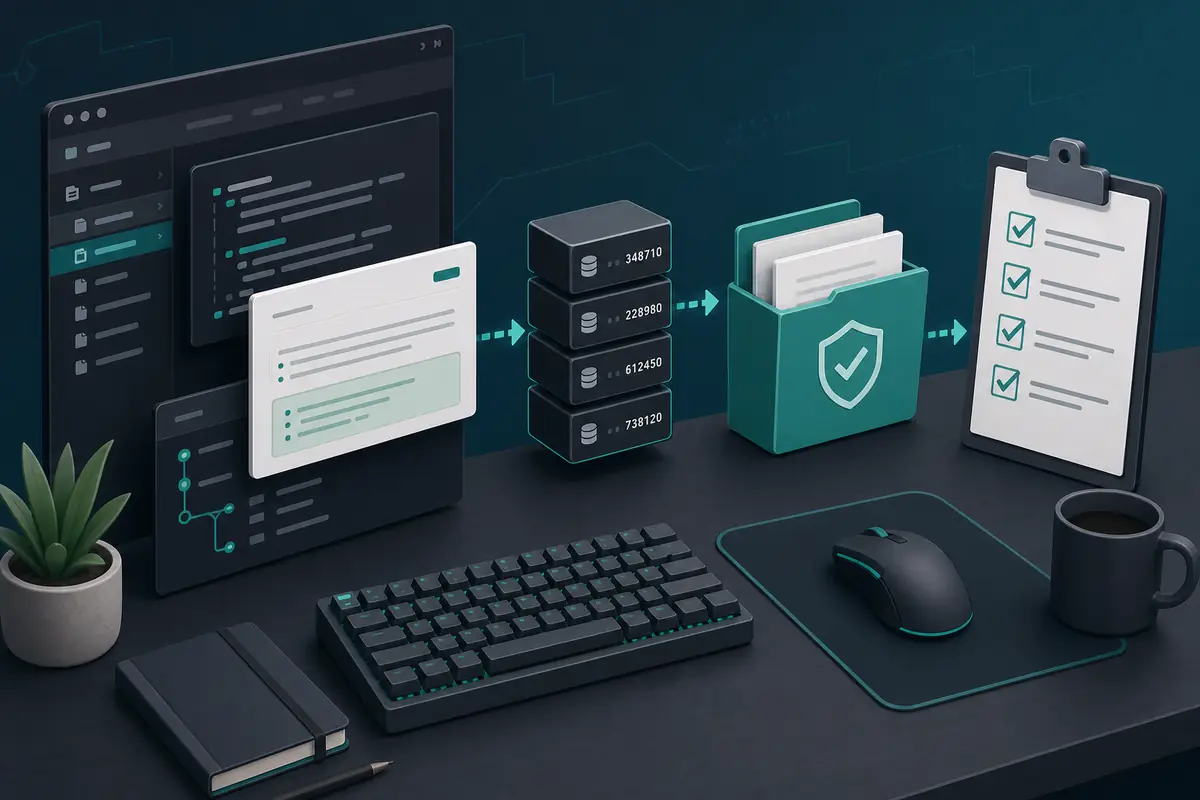
DepotDownloader se dépanne mieux si vous le voyez comme un flux d’identifiants et d’autorisations, pas comme une simple commande à copier. Vérifiez app, depot, manifeste, branche et dossier avant toute connexion ou téléchargement.
Sommaire
Utilisez DepotDownloader si vous voulez contrôler précisément un téléchargement de depot Steam : depot, version de manifeste, branche, dossier de destination ou commande réutilisable.
Ne l’utilisez pas pour contourner les permissions. Si le compte n’a pas accès à l’app, à la branche ou au contenu chiffré, la syntaxe ne réglera pas le problème.
DepotDownloader est un outil en ligne de commande indépendant pour télécharger du contenu de depots Steam. GitHub est le meilleur point de départ pour lire README, releases, historique et issues.
Réponse rapide : quand utiliser DepotDownloader
Utilisez DepotDownloader si vous voulez contrôler précisément un téléchargement de depot Steam : depot, version de manifeste, branche, dossier de destination ou commande réutilisable.
Ne l’utilisez pas pour contourner les permissions. Si le compte n’a pas accès à l’app, à la branche ou au contenu chiffré, la syntaxe ne réglera pas le problème.
| Need | Best fit | Why |
|---|---|---|
| I need a SteamTools Lua package | Manifest & Lua Generator | It bundles manifest, Lua, JSON, and key files for a SteamTools-style workflow. |
| I need to check package availability | Steam Manifest Finder | It answers whether this site has a package for an AppID before you download. |
| I need one depot or old depot version | DepotDownloader | It lets you target AppID, DepotID, ManifestID, branch, and output folder explicitly. |
| I only know the game name | AppID Finder | It reduces wrong edition, demo, soundtrack, and DLC AppID mistakes. |
Ce qu’est DepotDownloader et ce qu’il n’est pas
DepotDownloader est un outil en ligne de commande indépendant pour télécharger du contenu de depots Steam. GitHub est le meilleur point de départ pour lire README, releases, historique et issues.
Ce n’est ni une page officielle Steam, ni un générateur SteamTools, ni une manière d’ignorer les restrictions de compte ou de branche.
Open project
Use the repository and release notes as the primary source for syntax, binaries, and changes.
Command-line tool
You plan options before running the command, including app, depot, manifest, branch, and folder.
Permission-bound
Ownership, branch passwords, and encrypted depots still matter.
Depot output
The output is depot files, not automatically a complete SteamTools Lua package.
Réponse rapide
If your goal is one controlled depot download, DepotDownloader may fit. If your goal is a ready SteamTools package, use the generator or finder first.
Vérifications GitHub avant tout téléchargement
Partez du projet original ou d’un lien de release fiable. Ne téléchargez pas une archive uniquement parce que son titre contient DepotDownloader.
Comparez la date de release au problème traité. Un ancien exemple peut oublier branche, manifest ou dossier de sortie.
| Check | What to inspect | Why it matters |
|---|---|---|
| Repository source | Project owner, README, releases, and issue history | Avoids repackaged or renamed downloads. |
| Release freshness | Latest release date and recent commits | Old binaries may not match current Steam behavior. |
| Binary source | Release asset from the project, not an ad mirror | Reduces wrapper and malware risk. |
| Command examples | README syntax before blog/forum snippets | Examples online often omit branch or manifest options. |
| No forced installer | Avoid password archives, browser extensions, and unrelated EXE wrappers | Depot tools should not require unrelated software layers. |
Planifier les identifiants avant la commande
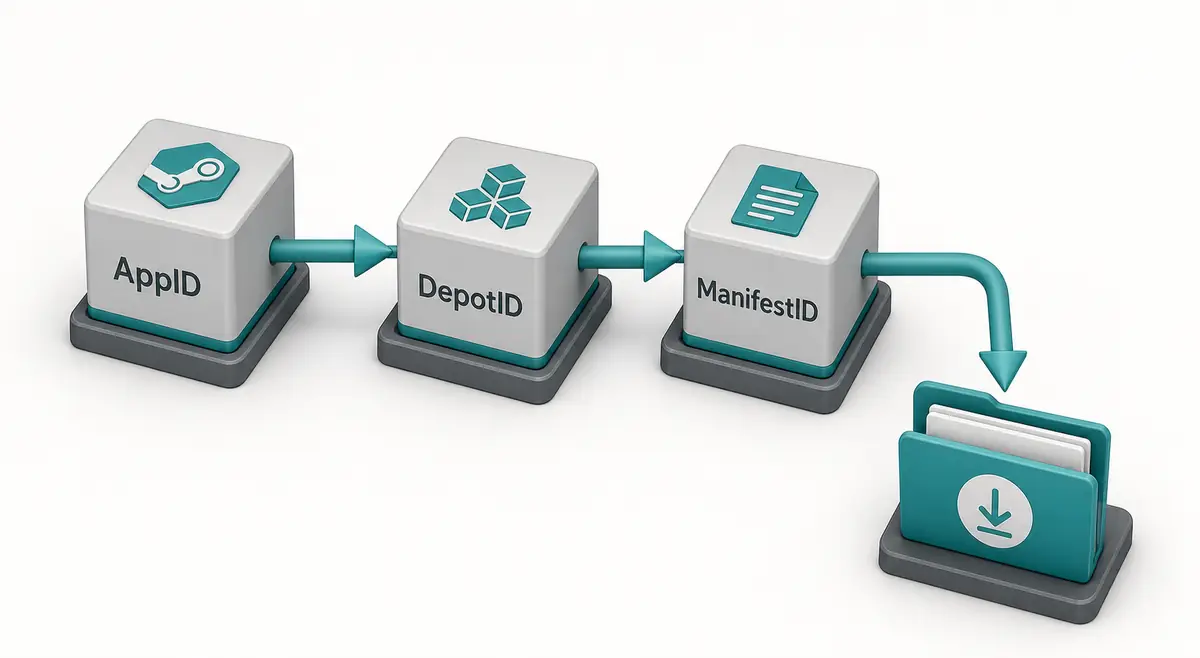
La commande vaut ce que valent les identifiants. AppID désigne l’app, DepotID le groupe de contenu, ManifestID une version précise du depot.
Notez titre, AppID, depot, DepotID, ManifestID, branche et dossier de sortie avant exécution.
-
Confirm the AppID from the store URL, SteamDB, or the AppID Finder.
Do not guess from a game title because demos, DLC, test apps, and soundtracks can have separate AppIDs.
-
Choose the DepotID that matches your target files.
A Windows depot, language depot, DLC depot, or shared asset depot may contain only part of the game.
-
Use ManifestID only when you need a specific version.
For current files, a manifest parameter may be unnecessary. For an older build, the ManifestID must belong to that selected depot.
-
Set a separate output directory.
Never point a first test download straight at your live Steam library.
-
Keep the command and notes together.
Save the IDs and command in a text file so you can audit what happened later.
Sécurité du compte, des branches et des dossiers
DepotDownloader peut nécessiter une connexion selon le depot. Suivez la documentation du projet et évitez les wrappers qui demandent des identifiants.
Téléchargez dans un dossier propre hors bibliothèque Steam active, puis comparez avant toute copie.

| Risk | Typical cause | Safer habit |
|---|---|---|
| Login confusion | A copied command does not explain account requirements | Read the current README and avoid credential prompts from mirrors. |
| Branch rejection | The depot belongs to a beta or private branch | Confirm branch name, password requirements, and ownership first. |
| Encrypted content | Depot needs keys not available to the account | Do not assume every depot is downloadable just because a manifest ID exists. |
| Broken install | Files are downloaded into the active game folder | Use a separate folder and compare before replacing anything. |
| Incomplete game | Only one depot was downloaded | Review language, DLC, platform, and shared depots before expecting a full install. |
DepotDownloader ou packages SteamTools
DepotDownloader produit généralement le contenu téléchargé d’un depot. Un package SteamTools est différent : manifestes, Lua, JSON et parfois VDF ou clés.
La recherche DepotDownloader GitHub vise plutôt l’outil et la syntaxe ; manifest and Lua generator vise un package prêt.
| Workflow | Output | Use when |
|---|---|---|
| DepotDownloader | Downloaded depot content in a folder | You need one depot, one manifest version, a branch-aware download, or repeatable CLI logs. |
| Steam console download_depot | Depot content from the Steam client | You need a quick manual download and understand the IDs. |
| Manifest & Lua Generator | ZIP package with manifest, Lua, JSON, and related files | You already know the AppID and want a SteamTools-style package. |
| Steam Manifest Finder | Availability check by AppID | You want to know whether a package exists before downloading. |
| SteamDB Manifest ID Guide | ID explanation and verification steps | You are still sorting out AppID, DepotID, ManifestID, or build history. |
Dépannage : ce que signifient les erreurs
Les échecs viennent souvent d’un accès absent, d’un mauvais depot, d’un ManifestID hors contexte ou d’une syntaxe ancienne.
Si le téléchargement réussit mais semble incomplet, c’est parfois normal : beaucoup de jeux utilisent plusieurs depots.
| Symptom | Likely cause | First check |
|---|---|---|
| Manifest is rejected | ManifestID does not match the selected DepotID | Return to the depot history and copy the matching version. |
| Login or access error | Ownership, branch, or encrypted depot rules block access | Confirm account access and branch requirements. |
| Only some files download | You targeted one depot from a multi-depot app | Review platform, language, DLC, and shared depots. |
| Command example fails | Syntax changed or example omitted required options | Check the current GitHub README and release notes. |
| SteamTools import still fails | Downloaded content is not a Lua manifest package | Use the Manifest & Lua Generator or verify package files separately. |
Conseil d’expert
Check ID match first, account and branch access second, syntax third, and destination folder last. Random command swapping usually hides the real mismatch.
FAQ
References
- DepotDownloader on GitHub - Primary project page for releases, documentation, and issue history.
- SteamDB - Useful for checking AppID, depot, branch, build, and manifest context before planning a command.
- Steamworks Depots documentation - Official Valve documentation explaining how Steam depots are organized for applications.
Dernière mise à jour: July 1, 2026