Steam Manifest Download: A Practical Guide to Files, IDs, and Checks
Understand what a Steam manifest file is, where an authorized download fits, and how to verify the app, depot, version, and destination before changing game files.

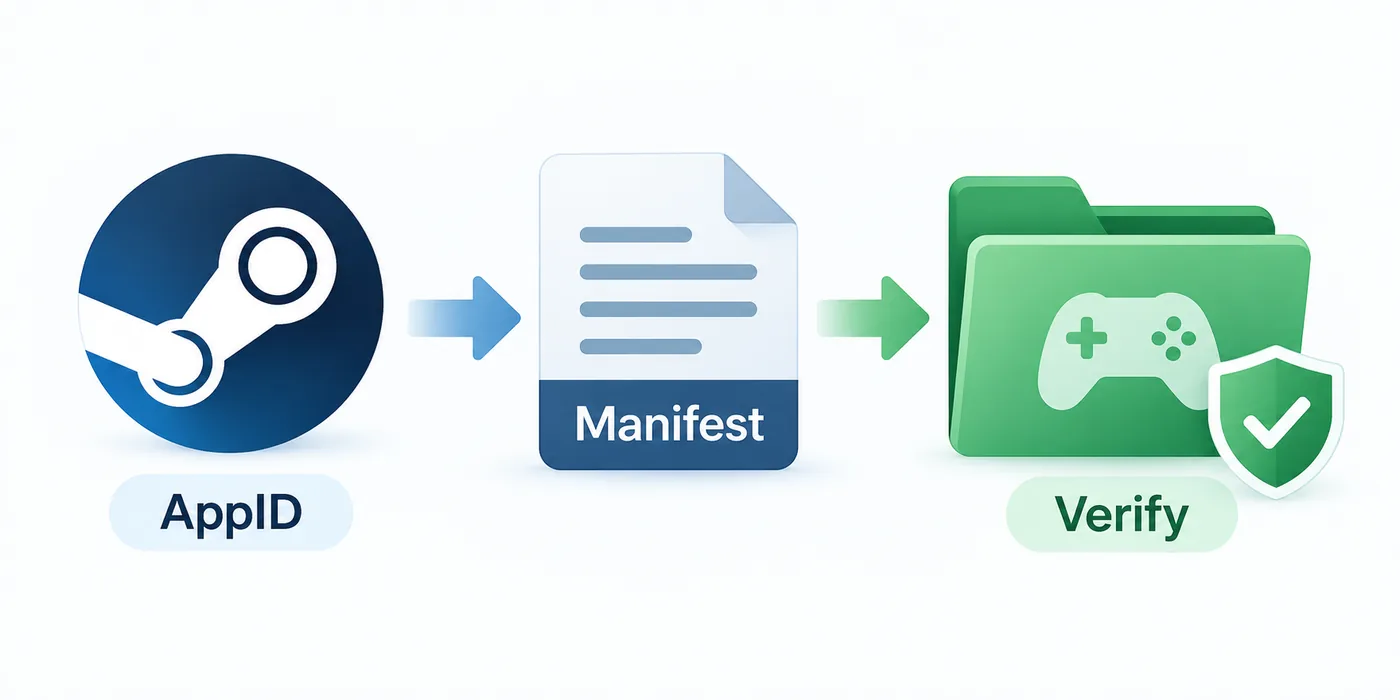
Start with the AppID, identify the manifest context, and verify the file before it reaches a live game folder.
Table of Contents
People search for a Steam manifest download when they need a depot file, want to inspect an older build, or are preparing an authorized test. The useful answer is a short chain of checks connecting the app, depot, manifest version, and review folder.
This guide separates a manifest from an appmanifest ACF file, Lua file, depot archive, and complete game package. It also explains why a correct-looking command can return nothing when account, branch, request code, or identifier does not match.
For an AppID-first package, use the site's Manifest & Lua Generator or Steam Manifest Downloader after checking the input. This guide focuses on downloading and verifying a specific manifest without mixing IDs or overwriting a live install.
What You Need Before a Steam Manifest Download
Before using a console or command-line tool, record the app name, numeric AppID, platform or language, target depot, and build context. A manifest belongs to a depot snapshot; an isolated number is not a reliable target.
Use a clean folder outside the active Steam library. Inspect names and sizes there before moving anything into an authorized workflow. Isolation makes failed results disposable and prevents a partial depot being mistaken for a complete install.
| Check | What it answers | Why it matters |
|---|---|---|
| AppID | Which Steam app, DLC, tool, or demo is involved | A DLC or demo can have a different ID from the base game. |
| Depot context | Which content group is needed | Windows, Linux, language, DLC, and shared files may use separate depots. |
| Version context | Which build or branch is being examined | The newest manifest is not always the one needed for a test or recovery. |
| Destination | Where the first download will be inspected | Isolation prevents accidental replacement of current files. |
| Access | Whether the account and branch can request the depot | IDs cannot bypass ownership, encryption, or branch rules. |
Manifest Files, AppID, DepotID, and ManifestID
Manifest can mean several related objects. An AppID identifies the application, a DepotID identifies one content group, and a ManifestID identifies a snapshot of that depot. The file describes metadata; it is not the complete game data.
An appmanifest_*.acf file tracks an installed app in a local library and is different from a depot manifest. A Lua file may support another package workflow but does not automatically contain a depot manifest. Keep these names distinct when saving or asking for help.
AppID
Begin with the store URL or an AppID lookup so the base app, DLC, demo, or tool is unambiguous.
DepotID
Choose the content group that matches platform, language, DLC, or shared dependencies.
ManifestID
Use a snapshot that belongs to the chosen depot and fits the build or branch you are checking.
File type
Record whether the result is a manifest, ACF record, Lua file, archive, or another metadata object.
Choose a Transparent Download Method
For a one-off authorized check, the Steam client console is often the simplest start. It can request a depot when account, app, branch, and access conditions align. Read the output and record the destination instead of assuming the normal library folder was used.
DepotDownloader helps when you need repeatable options, a named folder, branch details, or reviewable logs. Follow its documentation and protect credentials. A third-party tool cannot grant access the account does not have.
Need command-line detail?
Review login, branch, folder, and log checks before using a command-line downloader: read the DepotDownloader guide.
Cannot find the output?
The destination depends on the command and tool. Use the folder map before repeating the request: find Steam depot download folders.
| Method | Good fit | Limit to remember |
|---|---|---|
| Steam client console | A manual, single-depot check | The output path and access error can be easy to miss. |
| DepotDownloader | Repeatable commands and explicit folders | It still needs valid account access and matching identifiers. |
| Manifest & Lua Generator | An AppID-first package workflow | It is not a universal historical-manifest archive. |
| Steam Manifest Downloader | A guided site flow for supported package output | Check the result and its scope before importing anything. |
Step-by-Step Steam Manifest Download Workflow
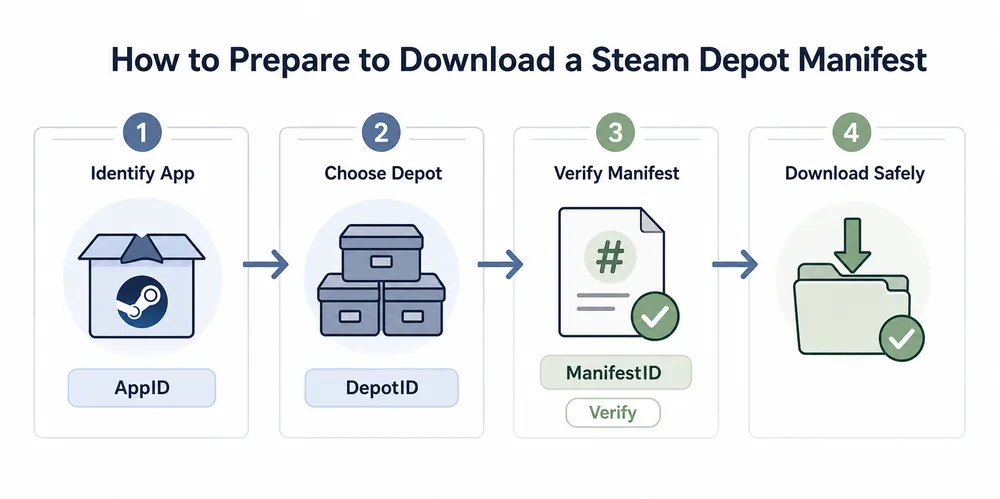
Use this order even when a tool makes the process look shorter. It creates an audit trail and shows when context is missing. Never paste a title where a numeric ID is required or combine IDs from unrelated guides.
Keep a note beside the folder with date, AppID, DepotID, ManifestID if known, branch, tool, and result path. The note preserves why the snapshot was downloaded.
-
Confirm the AppID.
Use the Steam Store URL or AppID Finder. Check the name, edition, DLC relationship, and platform.
-
Choose the depot context.
Identify the Windows, Linux, language, DLC, or shared depot. One app can have many depots.
-
Record version clues.
Note the branch, build date, or ManifestID that explains the snapshot. Do not chase an old ID without a reason.
-
Run the authorized download.
Use the Steam console or documented DepotDownloader command with matching IDs. Stop on access or destination errors.
-
Inspect before moving files.
List output, compare names and sizes, review the folder, and keep it separate until the depot and version are clear.
Verify the Files Before Using Them
A successful command only proves that a tool wrote something. It does not prove the app, required depots, or compatibility with a later Lua or manifest file. Verification should be visible, not assumed.
Start with the folder name and extension. A manifest, ACF record, Lua file, and archive are not interchangeable. Check readable AppID and depot clues, compare the build with your note, and test a copy while keeping the original untouched.
List every needed depot. Windows content, language packs, DLC, shared files, and tools may be separate, so a partial result can look healthy while still being incomplete.
| Verification pass | Look for | Stop when |
|---|---|---|
| Identity | AppID, depot name, platform, and expected file type | The output points to another app or a different depot. |
| Version | Branch, build date, ManifestID, or matching source note | The snapshot is older or newer than the test requires. |
| Completeness | All required language, DLC, and shared depots | A single folder is being treated as the whole install without evidence. |
| Destination | A clean folder outside the live library | The command wants to overwrite files before review. |
| Source quality | Readable files, documented tool, and clear provenance | A mirror hides the file behind an unknown executable or archive. |
A manifest is metadata, not a magic unlock
A downloaded file cannot transfer ownership, bypass a branch rule, recreate missing encryption keys, or prove that a third-party package is complete. Treat it as one verified input in an authorized workflow.
Fix Queued, Missing, or Incomplete Downloads
When a Steam manifest download fails, recheck AppID, DepotID, ManifestID, branch, account access, and destination before changing tools. A queued request may be waiting on a dependency or access response.
If the folder is empty, inspect the log and configured path. If only part appears, review language, DLC, platform, and shared depots. An unavailable old snapshot may need a different request code or branch; keep the failure note.
For SteamTools package work, return to the site's downloader or generator after the identity check. Do not merge a new Lua file with an old manifest just because the AppID matches.
| Symptom | Likely cause | First response |
|---|---|---|
| Download stays queued | Dependency, branch, or access response is pending | Read the client log and confirm the account and branch. |
| Manifest is rejected | The ManifestID does not belong to the DepotID | Return to the depot context and record a matching ID. |
| Folder is empty | Output path differs from the expected library path | Search the configured destination and keep the log. |
| Only some files appear | The app uses multiple depots | List platform, language, DLC, and shared depots. |
| Import fails later | Lua, manifest, or metadata files come from different builds | Keep one source chain and regenerate a consistent package if needed. |
When to stop
Stop if a source asks for an unknown executable, a private key, or an unexplained archive. A transparent, inspectable failure is safer than a successful download whose contents and provenance cannot be checked.

Steam Manifest Download FAQ
References and further reading
- Steamworks Documentation - Applications and depots - Official background on applications, depots, and Steam content structure.
- Steamworks Documentation - SteamPipe - Official background on builds, branches, depots, and content delivery.
- SteamRE DepotDownloader on GitHub - Open-source command-line tool documentation and usage notes.
- SteamDB technical blog - Manifest request codes - Technical context for why some older manifests need additional request information.
Last updated: October 12, 2026